
Transfer agent
Let Mira’s Transfer agent check each data source for international transfers that need a transfer impact assessment, and create the assessment for you.
Many privacy laws worldwide restrict or set conditions on sending personal data across borders. Keeping track of which systems transfer data where, and whether each transfer has been assessed, is time-consuming. The Transfer agent is a Mira AI agent that checks your data sources for transfers that need a transfer impact assessment (TIA), and creates the assessment for you.
What the Transfer agent covers
Today, the Transfer agent covers transfers that require a TIA under the GDPR. It creates a TIA for a data source when all of the following are true:
- The data source is in your inventory
- At least one of its server locations is outside the European Economic Area (EEA) and isn't covered by an EU adequacy decision. For US locations, this means the vendor has no active EU-US Data Privacy Framework certification.
- Its data subjects include EEA residents
- No existing TIA already covers those locations
The agent works out server locations from the data source's details and processing activities, and data subjects from its processing activities. The more complete your data map, the more accurate the agent's results. See Map business purposes with processing activities.
Set up the Transfer agent
- In the left navigation, select Mira AI agents.
- On the Transfer agent card, click Setup.
- Choose the TIA template the agent should use to create assessments.
- Optionally, add instructions, for example how your organization names TIAs or which locations to treat with extra care.
- Turn on the agent. [confirm setup flow]
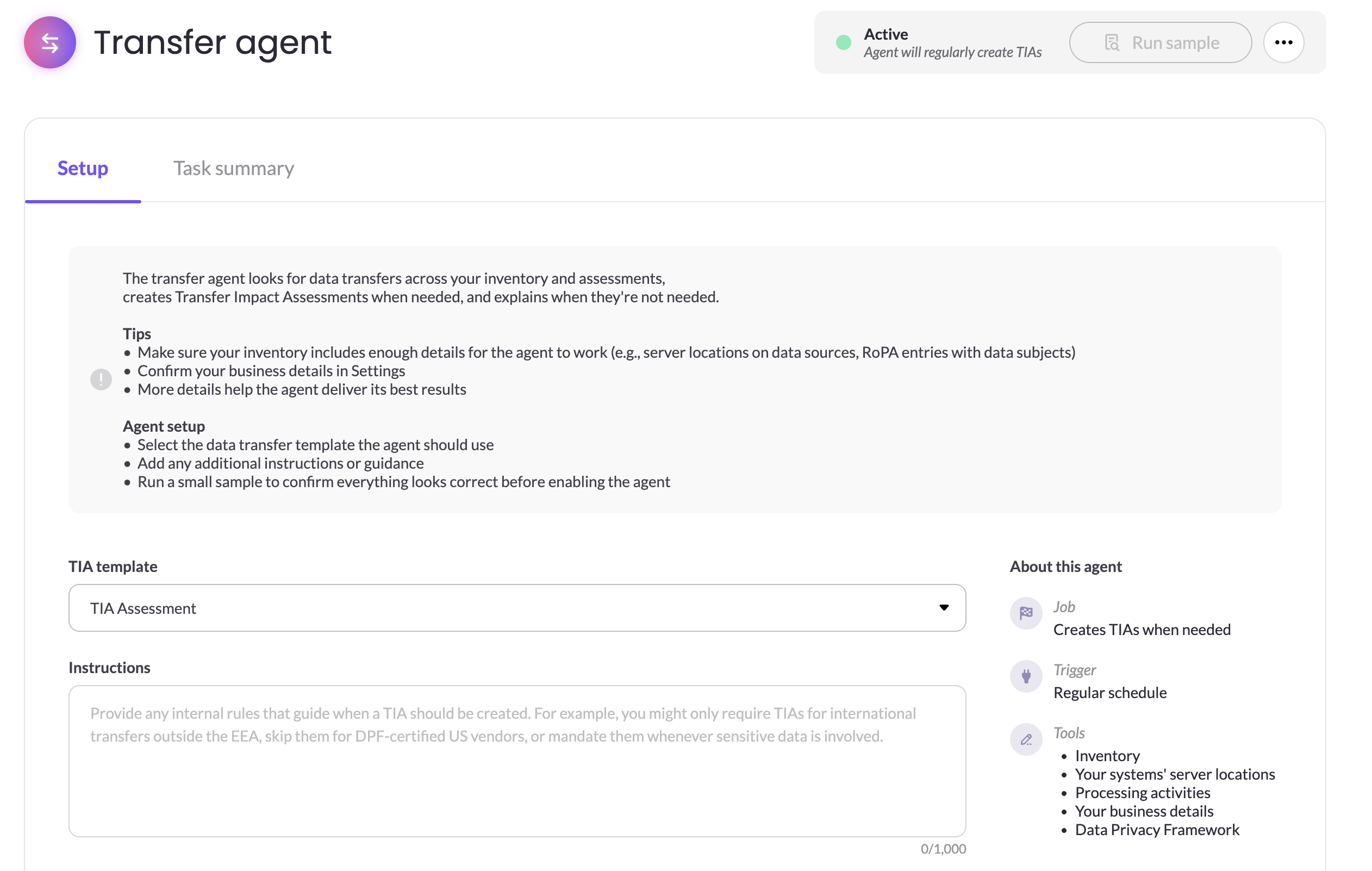
When the agent is on, its card shows the Enabled status.
Use MineOS's TIA template, or a template based on it. The agent needs to map its findings to the template's required questions, and can't create a TIA if it can't map them.
Results
Each time the agent checks a data source, it reaches one of four results:
| Result | What it means | What to do |
|---|---|---|
| TIA created | A transfer needs a TIA, and the agent created one for each relevant location | Open the new TIA, review the draft and complete it |
| TIA in place | A TIA already covers the data source's transfer locations | Nothing, unless the existing TIA is out of date |
| No action | No TIA is needed, for example because all locations are adequate or no EEA residents are involved | Nothing |
| Undetermined | The agent couldn't decide, for example because server locations or data subjects are missing or unclear, the TIA template can't be mapped, or a TIA with the same name already exists | Fix the missing information, then run the agent again |
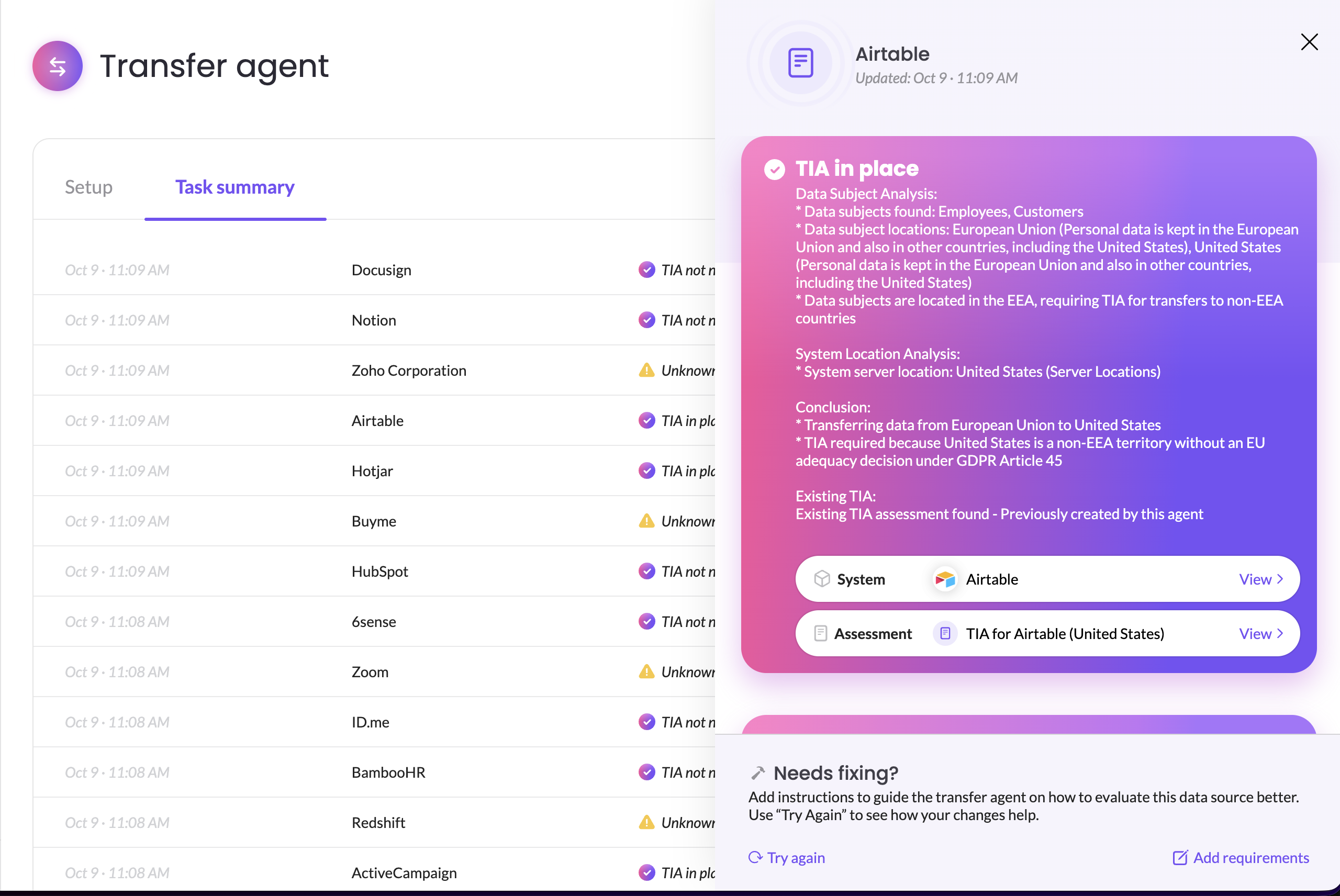
When it's unsure, the agent always returns Undetermined rather than guessing.
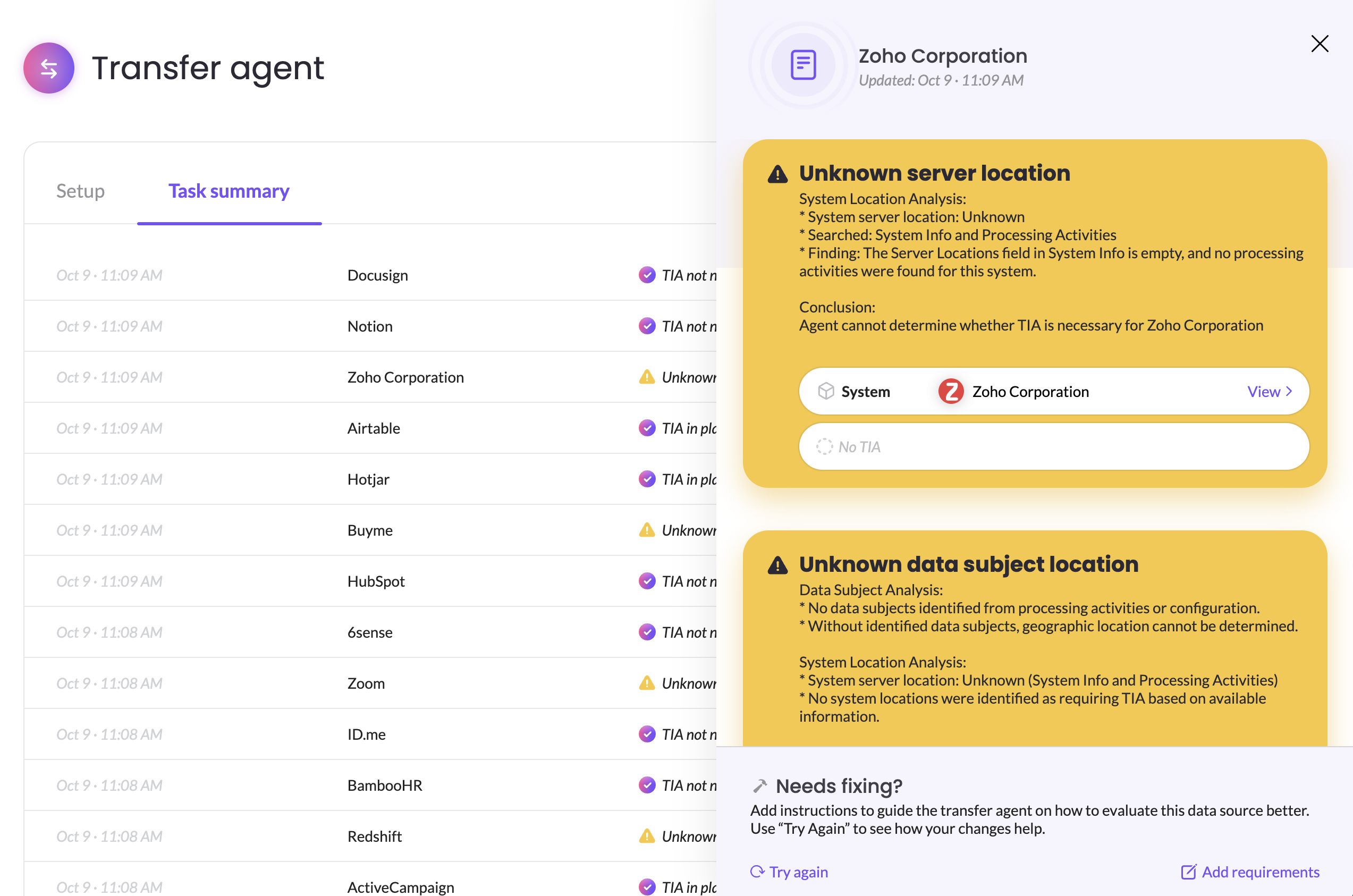
Get better results
- Fill in server locations for your data sources. Vendor scout can research them for you. See Research Vendors with Mira AI (Vendor Scout).
- Map data subjects in your processing activities, so the agent can tell whether EEA residents are involved.
- Keep your TIA template mappable. If you customize it, keep its required questions in place.
- Review every TIA the agent creates. The agent drafts the assessment, but your team completes and approves it.
Related articles
- Visualize data flows: see where data goes for each processing activity
- Get started with Mira AI agents: all Mira agents and your business profile
- Draft Assessments with Mira AI: complete the TIA faster with autofill
Updated 20 days ago