
Acknowledgement
Confirm receipt of a request to the data subject once they've completed verification
The acknowledgement email confirms to the data subject that their request has been received and is being handled.
When it's sent
The acknowledgement is sent after the data subject completes verification. It's enabled per right with the Send acknowledgement rule, which also selects the acknowledgement template to use.
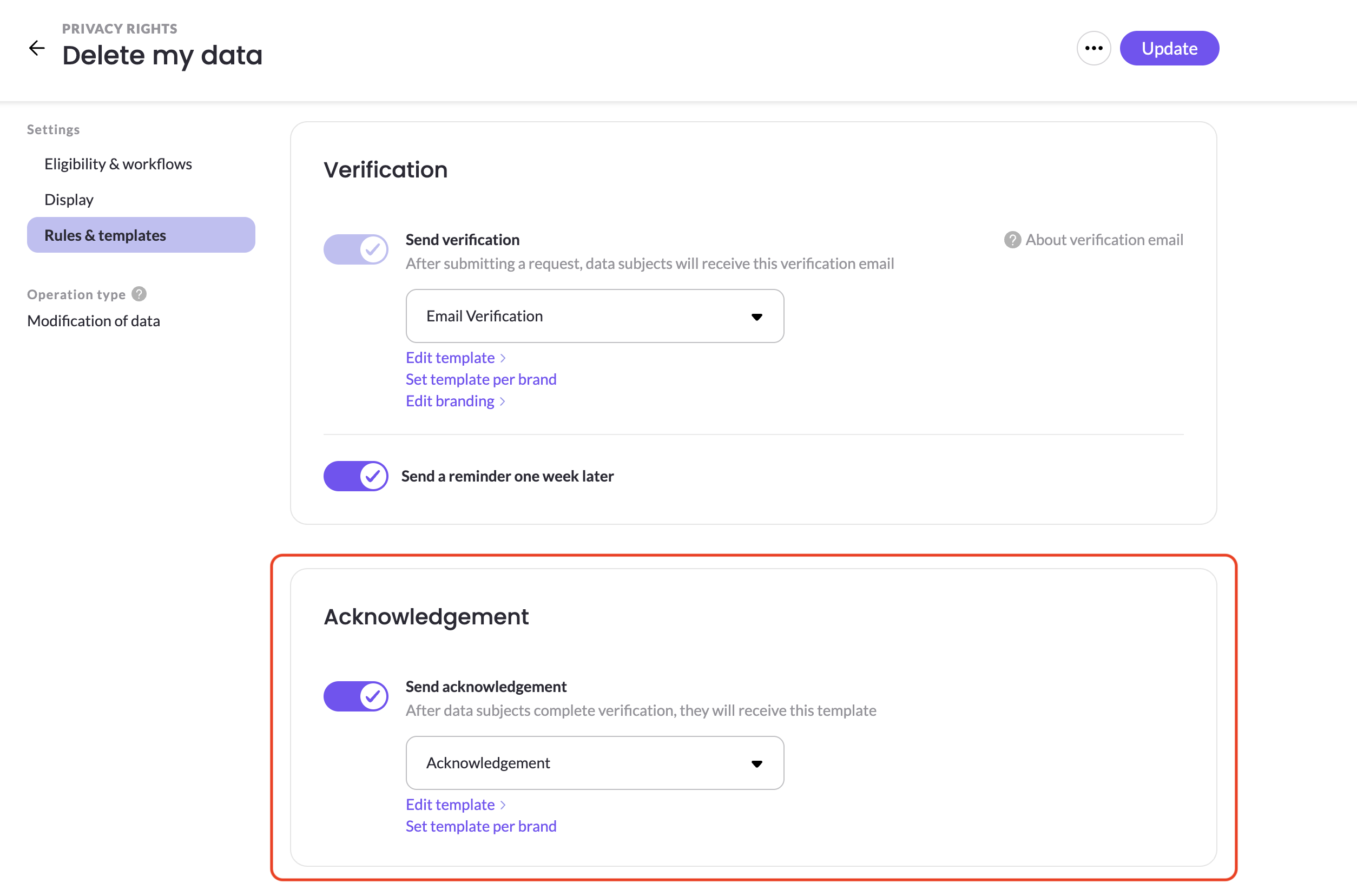
Configuring it
Choose the template in the right's Rules & templates settings, and edit the template's content in DSR Setup → Templates. Because it's set per right, different rights can send different acknowledgement wording.
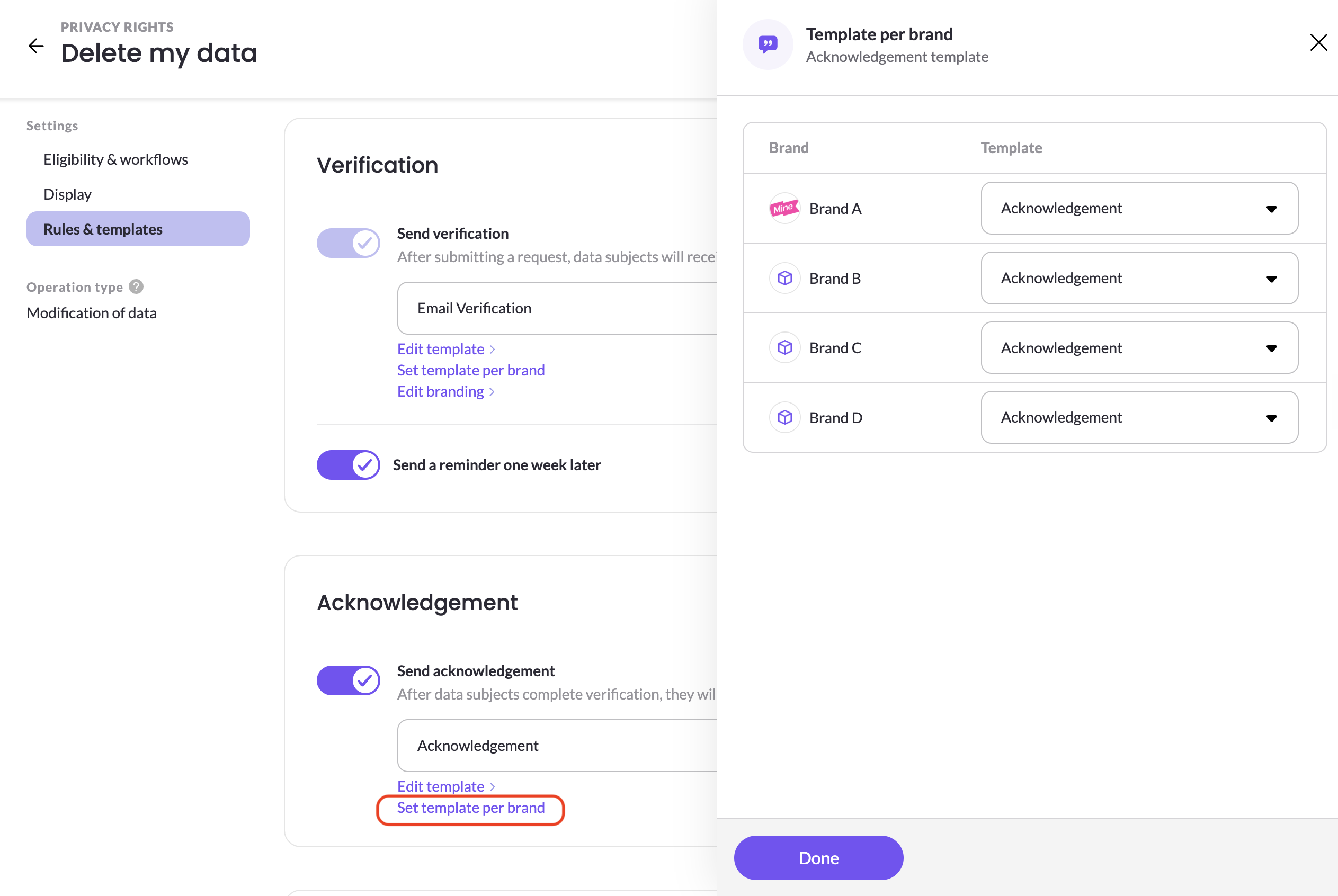
Tempalte per brand
If you run a multi brand company, you have an option to configure to send a different template per brand by clicking Set template per brand. It will open a configuration panel where you can select which template to use for each brand.
Updated 2 months ago