
Set Up Your Cookie Declaration
Embed a live list of the cookies on your site.
A cookie declaration is a block you embed on your own website that lists the cookies and trackers active on
your site. You configure it in MineOS and add it to your page once — after that, the content is managed
entirely from the platform, so keeping your cookie disclosure current never requires another code change.
Most teams place it on a dedicated cookie policy page or inside an existing privacy policy.
Publishing an accurate, current list of the cookies you set is how you meet the transparency duty defined in some regulations, including in GDPR Article 13 and the informed-consent requirement in ePrivacy Article 5(3).
The declaration runs independently of your consent banner. You can publish it on a page whether or not the
banner script is installed there.
Where to find it
Go to Consent Management -> Websites, open your website, and select Declaration in the left sidebar.
The page has 3 parts: the declaration message, the cookie table, and implementation.
Write the declaration message
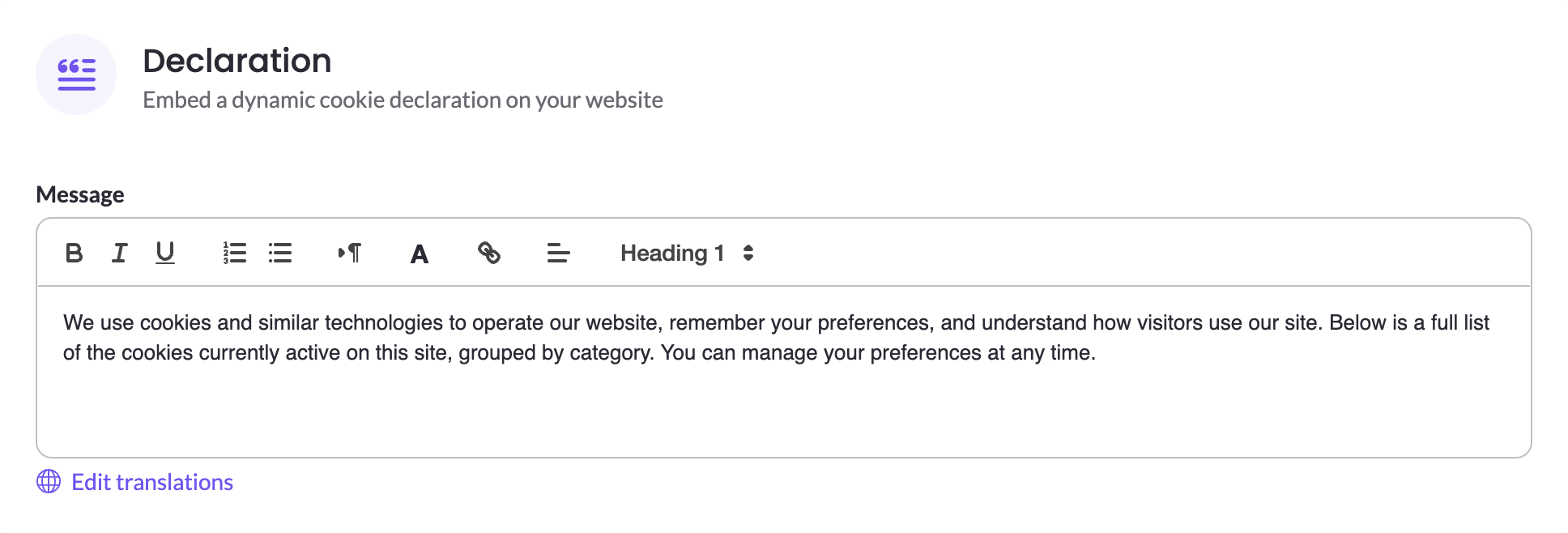
The Message field is a rich-text editor for the introduction that appears above the cookie table. You
can apply bold, italic, and underline, add ordered and unordered lists, set headings, change text color,
insert links, and adjust alignment. Because this lives in MineOS, anyone on your privacy team can revise the
wording without involving a developer or redeploying your site.
MineOS provides default text you can use as-is or replace:
We use cookies and similar technologies to operate our website, remember your preferences, and understand
how visitors use our site. Below is a full list of the cookies currently active on this site, grouped by
category. You can manage your preferences at any time.
If your privacy policy already explains your cookie use, clear the message and show only the table.
Translations
Select Edit translations to provide the message in other languages. The available languages come from the banners already configured on this website, so the list matches your existing setup. You can use "Auto translate" and edit the translations yourself.
Visitors see the declaration in their browser language. Column headers and category names are already
translated, so you only supply translations for your own message.
See Accessibility & Localization.
Configure the cookie table
The Cookie table section has a toggle that controls whether the table appears at all. The table
populates from your most recent website scan, so you never maintain the list by hand. Each consent category renders as its own table with a heading, and cookies are sorted by name within it.
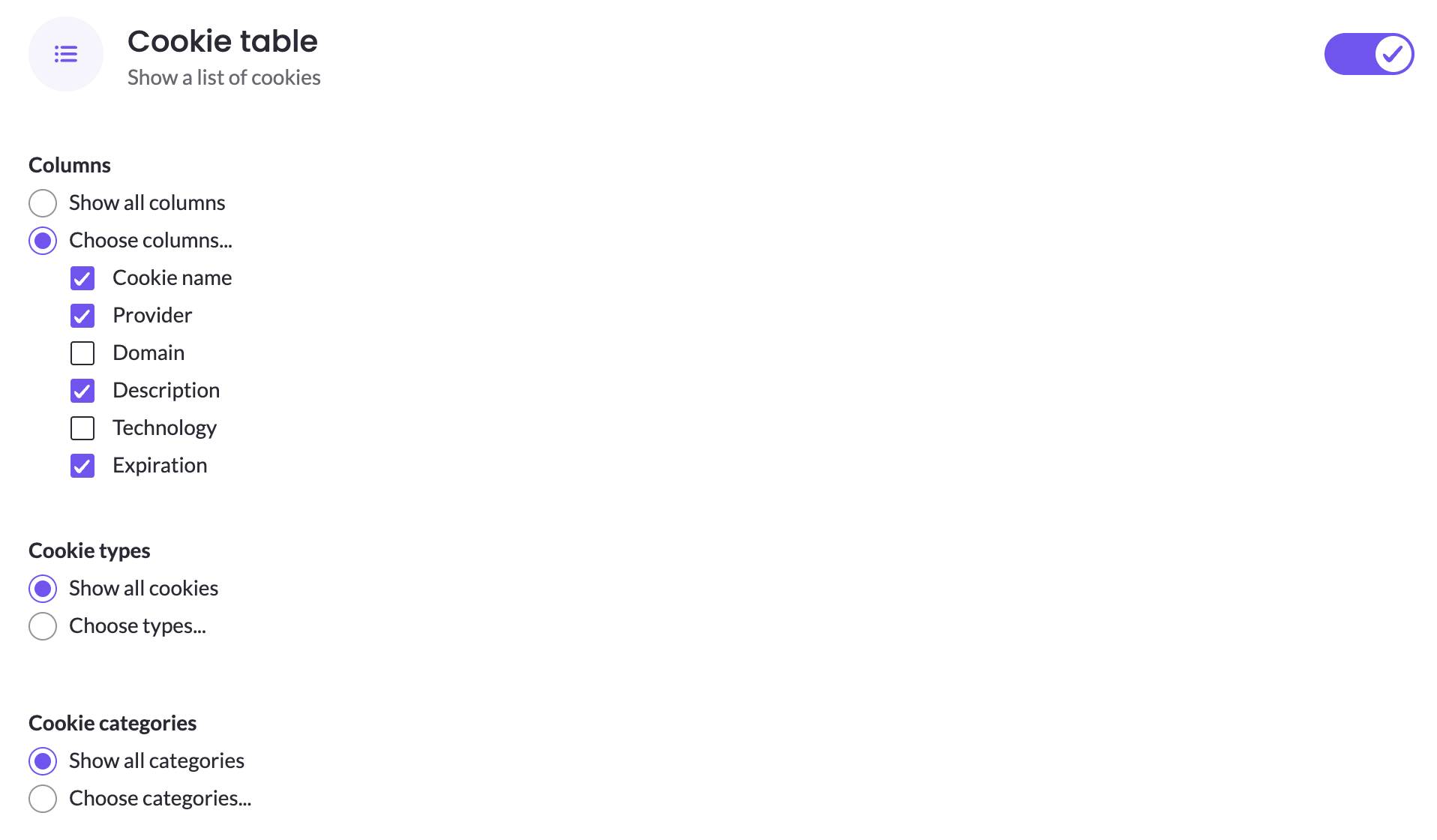
Three settings control what appears:
- Columns — keep Show all columns, or select Choose columns... to pick from Cookie name,
Provider, Domain, Description, Technology, and Expiration. - Cookie types — keep Show all cookies, or select Choose types... to limit the table to any
combination of HTTP cookie, HTML Local Storage, IndexedDB, and Pixel. - Cookie categories — keep Show all categories, or select Choose categories... to display only
the categories you want, such as Essential, Functional, Marketing, or Analytics.
A cookie appears only if it matches both your type and category selections. For how cookies are discovered and sorted into categories, see Website Scanner & Cookie Classification.
Style the declaration
The declaration inherits your base appearance settings from Branding. Because it sits inside one of your
own pages rather than in a dialog, the Styling section also gives you a Custom CSS field for finer
control — useful when the page it lives on has specific design requirements. Styling changes stay in MineOS
rather than in your site's stylesheet. For the selectors available, see CSS Customization Reference.
Preview and publish
Select Preview to see the declaration as visitors will. The preview reflects your message, column
selection, and styling, and uses placeholder values in place of real cookie data. Fonts and text sizes are
approximate, so the live declaration may look slightly different on your page.
Save stores your changes as a draft. Select Publish to make them live — the declaration follows the
same publish workflow as the rest of your CMP configuration. See Creating Banners.
Add it to your website
The Implementation section provides two snippets to copy. This is a one-time task for whoever maintains
your site; everything above is managed from MineOS afterward.
Paste the first snippet into the <head> of the page containing the declaration.
Then paste the container into the <body>, at the exact position where you want the declaration to render.
Use the Copy action next to each snippet to get the version containing your own domain group ID. The
declaration renders into that container: your message first, then the cookie table if you have enabled it.
Updated 3 months ago