
Cyber posture rating
Understand how MineOS rates a vendor’s cyber posture, what each risk category means, and how to use the rating in vendor reviews.
A vendor's cyber posture rating gives you an outside-in view of how well it protects itself against security threats. MineOS adds the rating to vendors in your inventory automatically, so you can spot weak vendors early, prioritize security reviews, and have better-informed conversations with business owners about which vendors to keep.
What the rating includes
The rating is broken down into four risk categories:
| Category | What it covers |
|---|---|
| Application | Security of the vendor's public-facing web applications and services |
| Network | Exposure of the vendor's network, such as open ports and vulnerable services |
| IT | The state of the vendor's IT infrastructure, such as outdated software or misconfigurations |
| Human factor | Risks related to people, such as exposed credentials or susceptibility to phishing |
Each vendor receives an overall rating, from Excellent to Poor.
Where to find it
Open a vendor from your inventory. The cyber posture rating appears on the Details tab. [confirm: section, e.g. TPRM] Click a category to expand it and see how its rating was calculated.
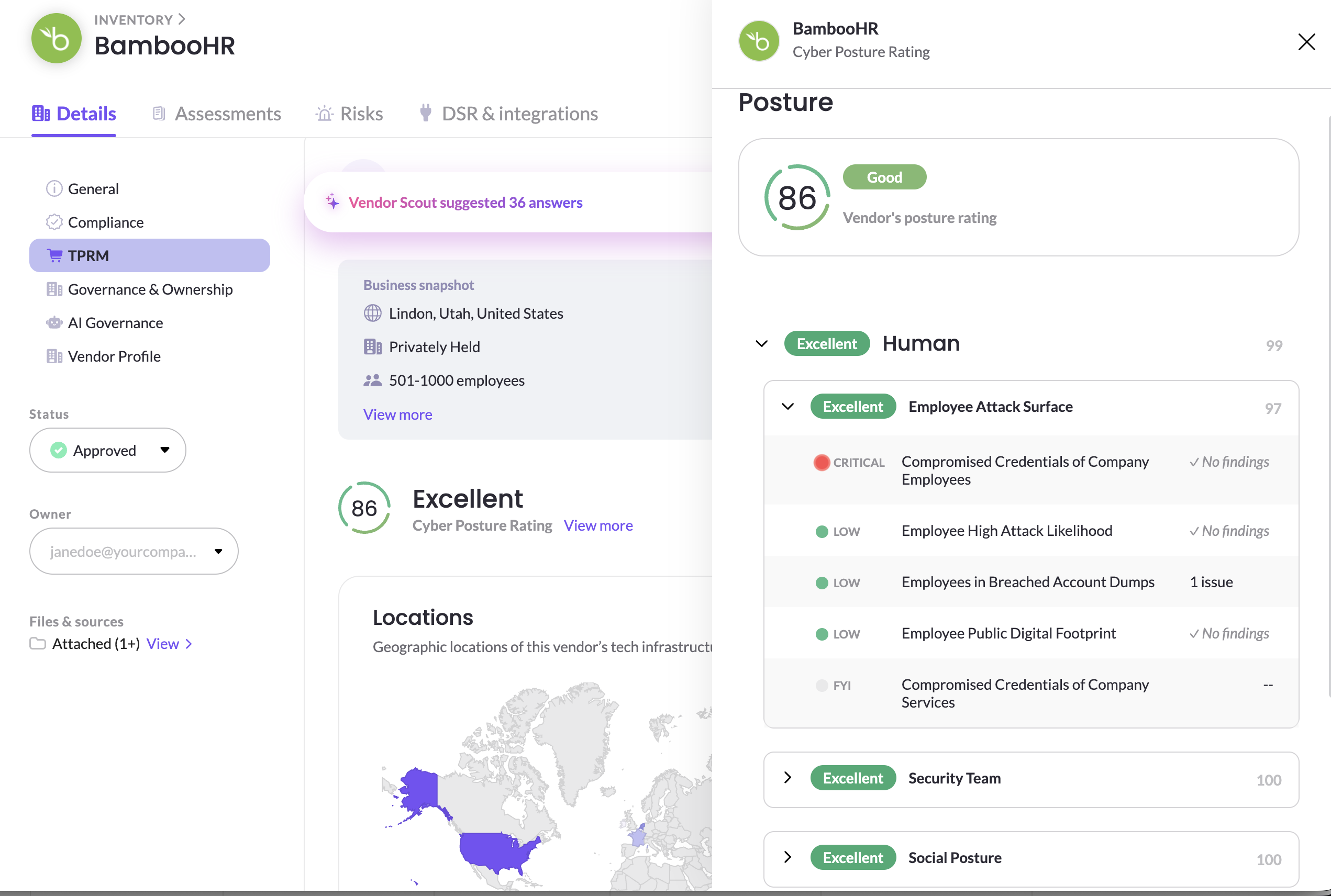
The rating is generated automatically and can't be edited. It's available for vendors that have a public website.
Use the rating in vendor reviews
| If the rating is | Consider |
|---|---|
| Strong | Proceeding with your standard review, and focusing on contractual and privacy safeguards |
| Weak | Running a full security assessment, asking the vendor for evidence such as a SOC 2 report or ISO 27001 certificate, and flagging the risk in your risk registry |
| Weak in one category | Focusing your security questions on that area, for example asking about patching when IT risk is high |
Cyber posture is one input, not a final verdict. An outside-in rating can't see internal controls, so combine it with the vendor's documents and assessment answers before deciding.
Where else the rating is used
- Business impact analysis: compare vendors' cyber posture against how many employees use them and how sensitive their data is. See Analyze business impact across your data sources.
- Risk suggestions: a weak cyber posture can lead MineOS to suggest risks in the vendor's assessments. See Flagging risks in assessments.
- Assessments: a template question can show the vendor's current rating, so reviewers see it alongside the vendor's answers. [confirm: rating can be pulled into assessment questions]
Related articles
- Onboarding and assessing vendors: the full vendor review process
- Risk registry and catalog: track vendor risks through to mitigation
Updated 20 days ago