
DSR Email Forwarding
Forward privacy requests from your company inbox to MineOS so they become DSRs in your queue.
Email forwarding lets you capture privacy requests that land in your company's inbox — such as a DPO or privacy mailbox (for example, [email protected]) — and turn them into DSRs in MineOS, so requests sent by email are handled alongside every other channel.
How it works
MineOS gives you a unique forwarding address. When you forward a privacy request email to that address, MineOS creates a DSR and adds it to your open Requests queue. From there, you enter the requester's details and process the request like any other DSR.
Set up email forwarding
-
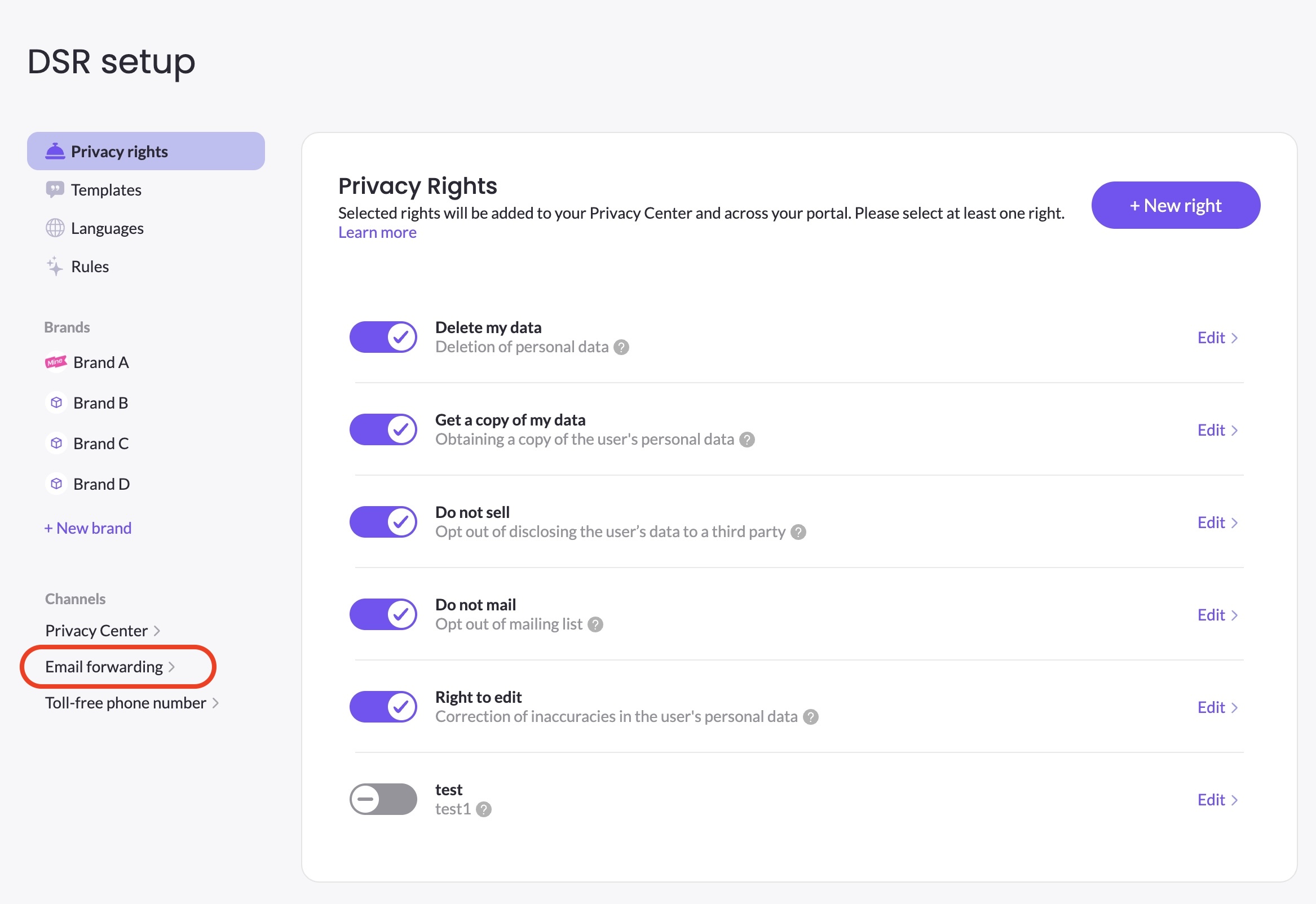
In DSR Setup, open the Email forwarding channel.
-
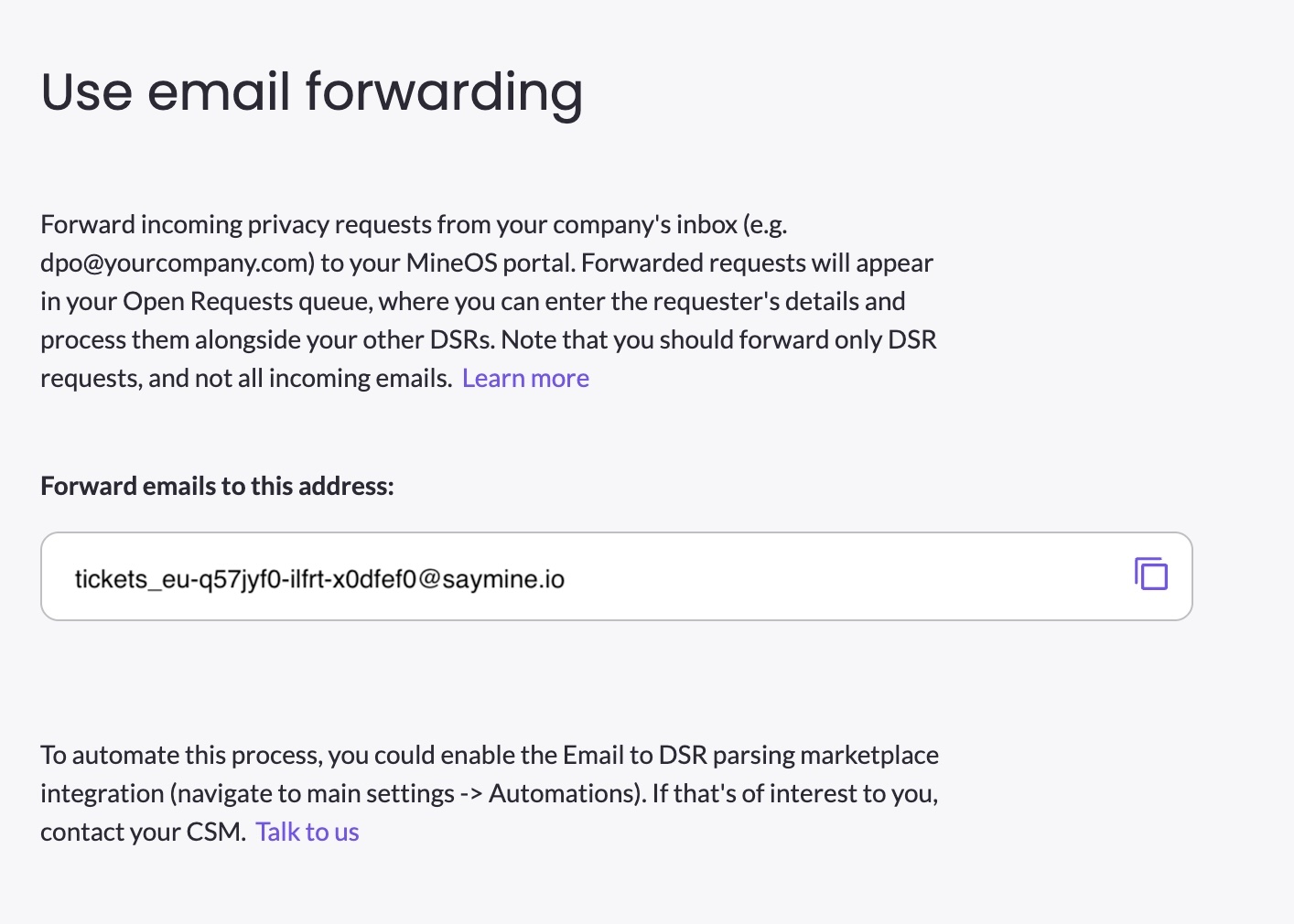
Copy the unique forwarding address shown on screen.
-
In your company inbox, forward privacy-request emails to that address — either manually or with an inbox rule.
Forward only genuine privacy requests to this address, not all incoming mail, so your queue stays clean and accurate.
Automating with email parsing
If you'd rather not forward each request by hand, MineOS offers an Email-to-DSR parsing automation that reads forwarded emails and fills in the request details for you. It's enabled from your main settings under Automations — contact your Customer Success Manager to turn it on.
Updated 3 months ago