
Discovery - Radar
Automatically find the systems, vendors and data stores your organization uses by connecting email, SSO, cloud and website discovery.
You can't protect data you don't know about. Employees sign up for new tools every week, teams spin up new databases, and old accounts linger after people leave. Discovery finds these systems for you, continuously, by connecting to the services your organization already runs: your email, your identity provider, your cloud accounts and your website. Everything discovery finds appears in Radar, where you decide what belongs in your inventory.
Discovery methods
MineOS offers four discovery methods. Each finds different kinds of systems, so most organizations combine them.
| Method | What it finds | Best for |
|---|---|---|
| Systems and accounts employees use, from sign-ups, invitations and notifications they receive | The widest coverage, including unmanaged tools, shadow IT and dormant accounts | |
| SSO | Systems connected to your identity provider, and which employees have access | Managed, company-approved systems, with lower permissions than email |
| Cloud | Databases, warehouses and storage buckets in your cloud accounts, and their locations | Internal data stores your engineering teams run |
| Website | Third-party tools collecting data on your website, and their locations | Marketing, analytics and advertising tools |
We recommend starting with email discovery, since it finds the widest range of systems, and then adding the other methods for full coverage.
Supported providers
| Method | Providers | Setup guide |
|---|---|---|
| Google Workspace, Microsoft 365 | Connect Google Workspace email, Connect Microsoft 365 email | |
| SSO | Google Workspace, Okta, Microsoft Entra ID [confirm] | Connect Google Workspace SSO, Connect Okta SSO |
| Cloud | AWS, Google Cloud, Microsoft Azure | Connect AWS, Connect Google Cloud Platform |
| Website | Your public website | Scan your website for data sources |
Set up discovery
All discovery methods are set up from Radar.
- In the left navigation, under Data mapping, select Radar.
- Click Radar Setup
- Choose the method and provider you want to connect, and follow the steps in its setup guide.
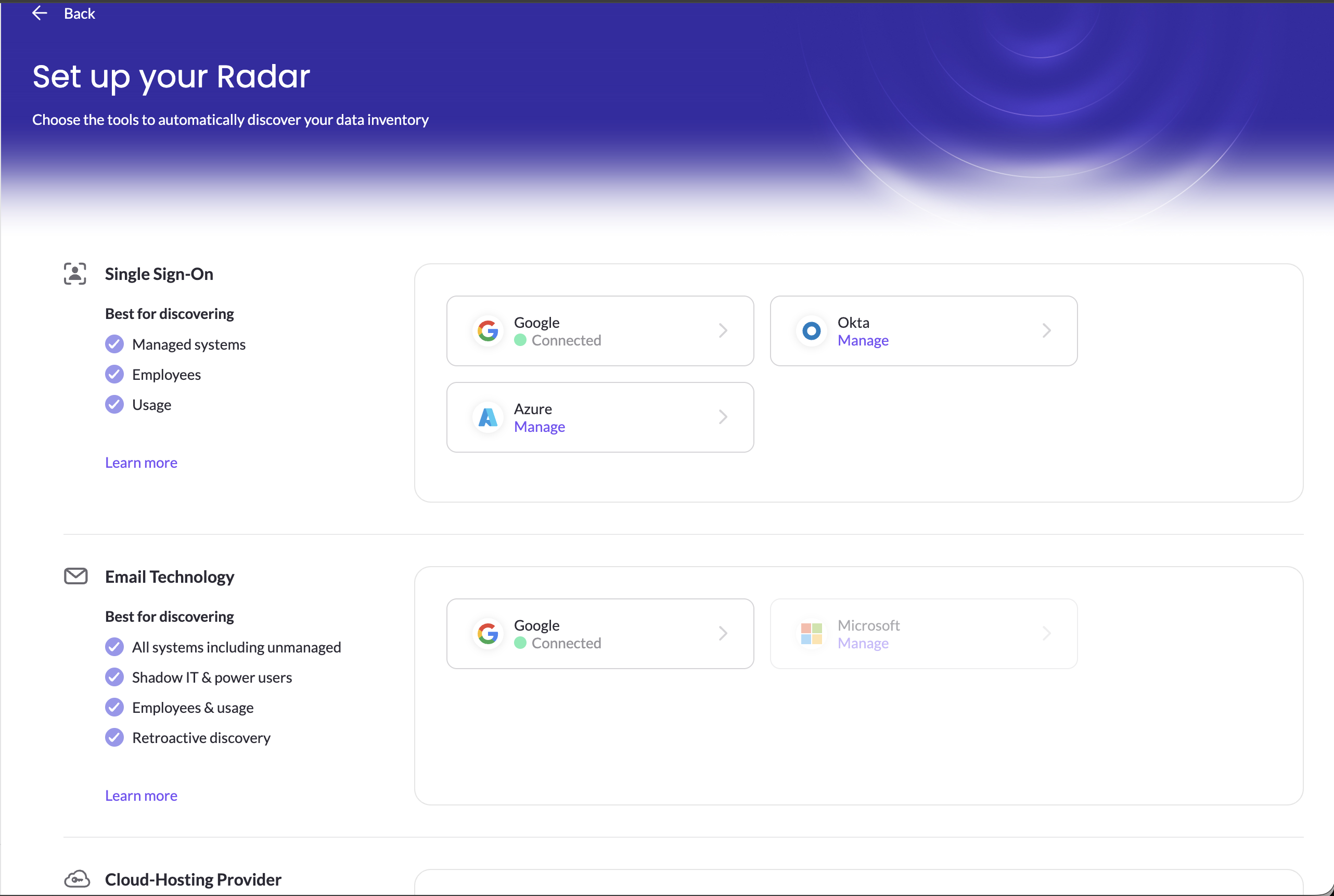
Once connected, discovery runs continuously. New systems appear in Radar as employees start using them, without you having to run a new scan.
What happens next
Discovered systems appear in Radar, not directly in your inventory, so you stay in control of what's added. From Radar, you add the systems your organization uses to your inventory and mark the ones it doesn't as unused. See Reviewing findings.
Email and SSO discovery also show which employees use each system, and how often. This powers the usage and access comparisons in Analyze business impact across your data sources. See Employees discovery.
Security and privacy FAQ
What does email discovery read?
Only email metadata: sender, recipient, date and subject line. It never reads email content or attachments.
Which emails does it process?
Only emails your employees receive from companies, such as sign-up confirmations and service notifications. It doesn't process emails employees send, or personal communication inside or outside your organization.
Is any email data stored?
No. Email metadata is processed in memory and isn't stored.
How does MineOS connect to my providers?
Through each provider's API, authenticated with OAuth 2.0 or a token you create. MineOS requests the minimum read-only permissions it needs, and you can monitor its activity with your provider's API audit logs. Each setup guide lists the exact permissions.
Do I need to be an admin?
Usually, yes. Connecting email, SSO or cloud discovery requires admin permissions in that provider. If you're not an admin, some providers, such as Microsoft 365, let you send an approval request to your IT team during setup.
Related articles
- Reviewing findings: add discovered systems to your inventory
- Navigate Your Inventory: manage the systems in your inventory
- Data mapping overview and quickstart: how discovery fits into data mapping
Updated 20 days ago