
Risk registry and catalog
View and manage every risk flagged across your assessments, filter risks by label, track mitigations, and customize the risk types your organization uses.
The risk registry is your single view of every risk flagged across your privacy, vendor and AI assessments. The risk catalog is the list of risk types your teams choose from when they flag a risk. Together, they keep risk tracking consistent across your organization, so you can see your overall risk position and decide where to act first.
What the risk registry shows
| Detail | What it means |
|---|---|
| Risk | The risk type, from your risk catalog |
| Labels | Categories such as security, privacy, legal or AI |
| Assessment | The assessment where the risk was flagged |
| Systems | The data sources linked to that assessment |
| Inherent risk level | Its severity before mitigations |
| Mitigations | The controls in place or planned |
| Residual risk level | What remains after mitigations |
View your risk registry
In the left navigation, under Governance, select Risks.
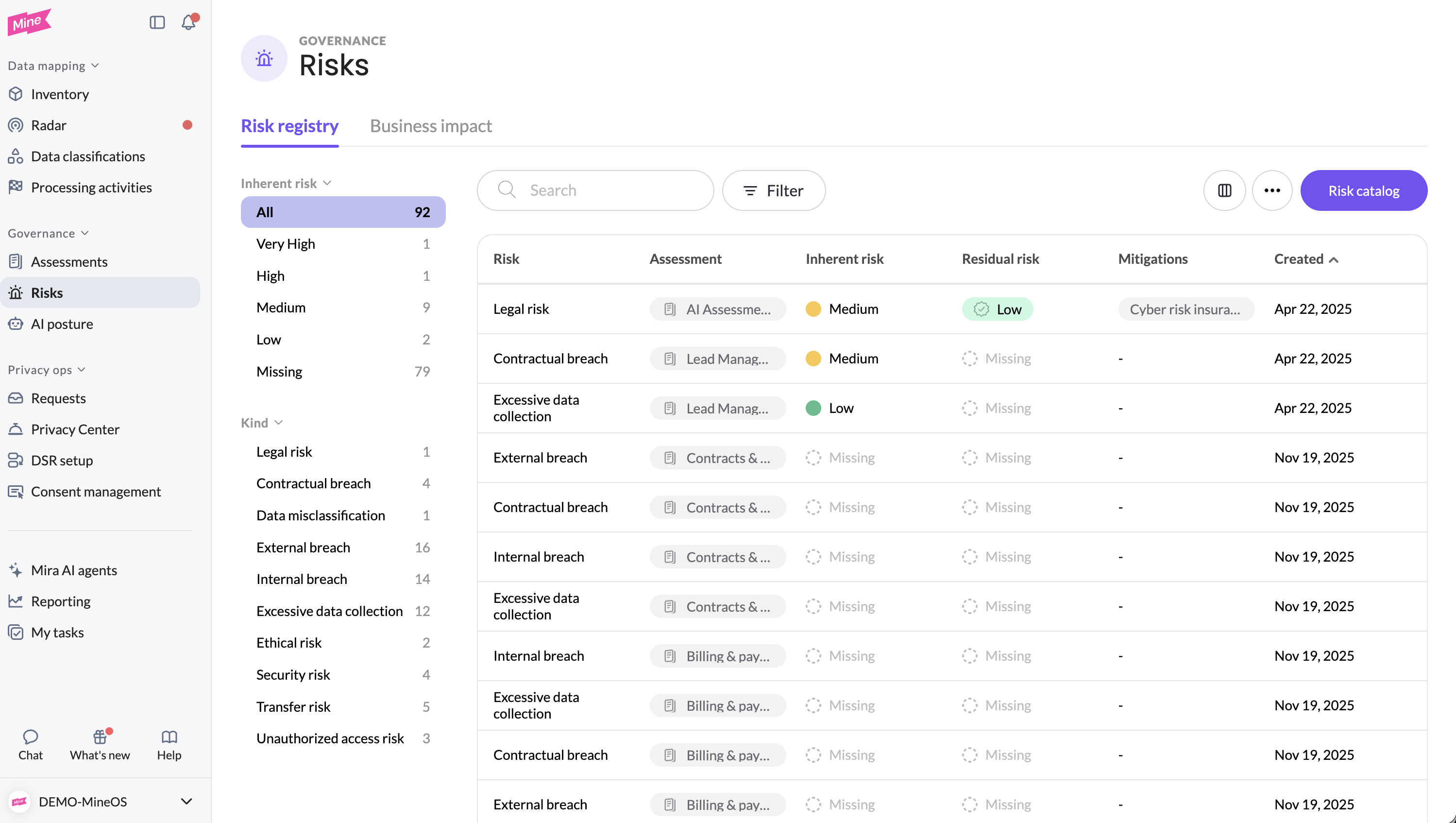
Risks can't be created directly in the registry. Every risk starts in an assessment, so it's always connected to the context it came from. See Flagging risks in assessments.
You can also see the risks for a single system on its data source page, in the Risks tab.
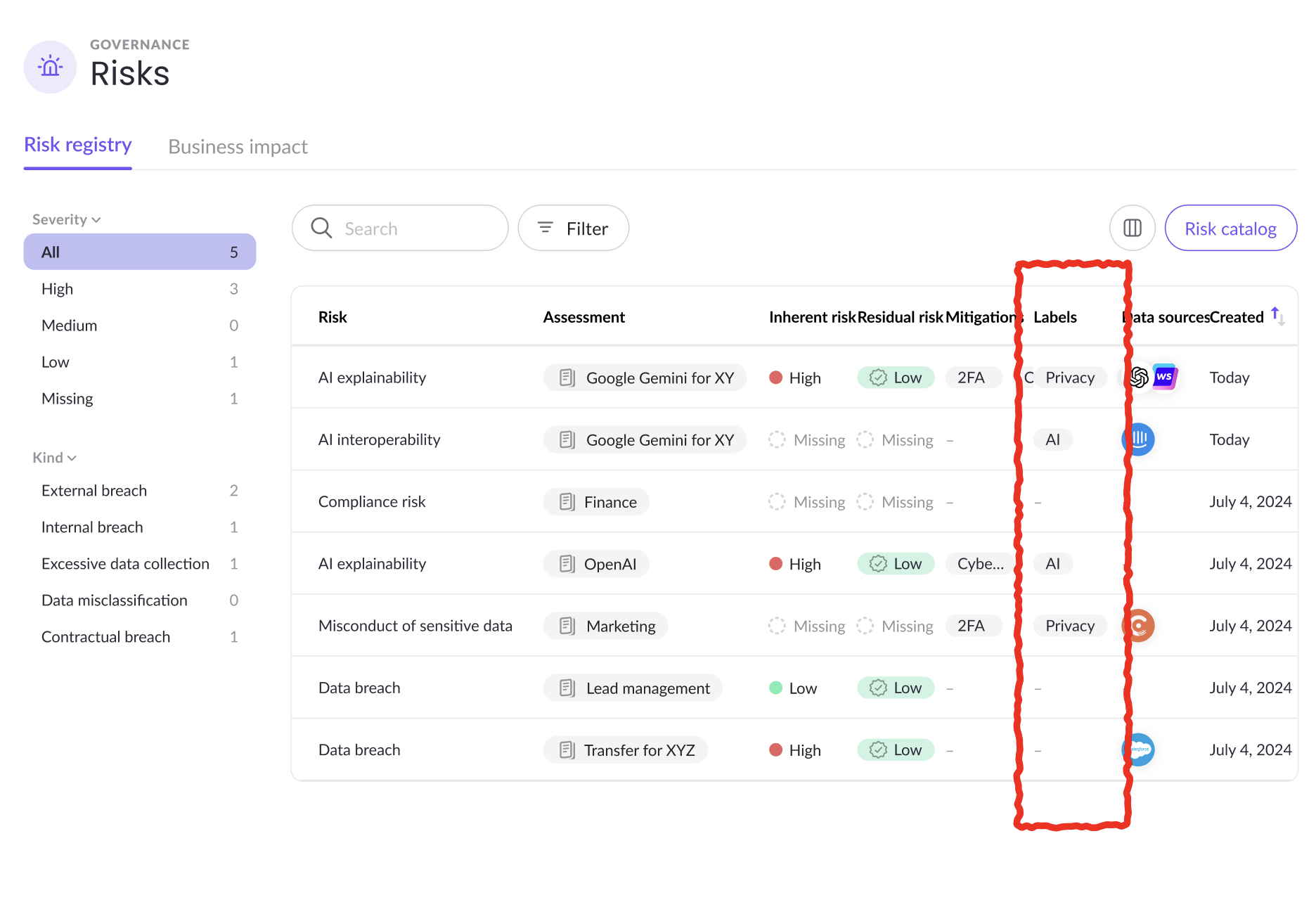
Filter risks by label
Filter the registry by label to see only the risks a team owns. For example, your security team can filter by a security label to see every security risk across your assessments.
Manage a risk
You can update a risk either in the original assessment or directly from the registry.
- In the risk registry, select a risk to open its details pane.
- Update its details, such as its labels, inherent risk level, mitigations or residual risk level.
- Click Save.
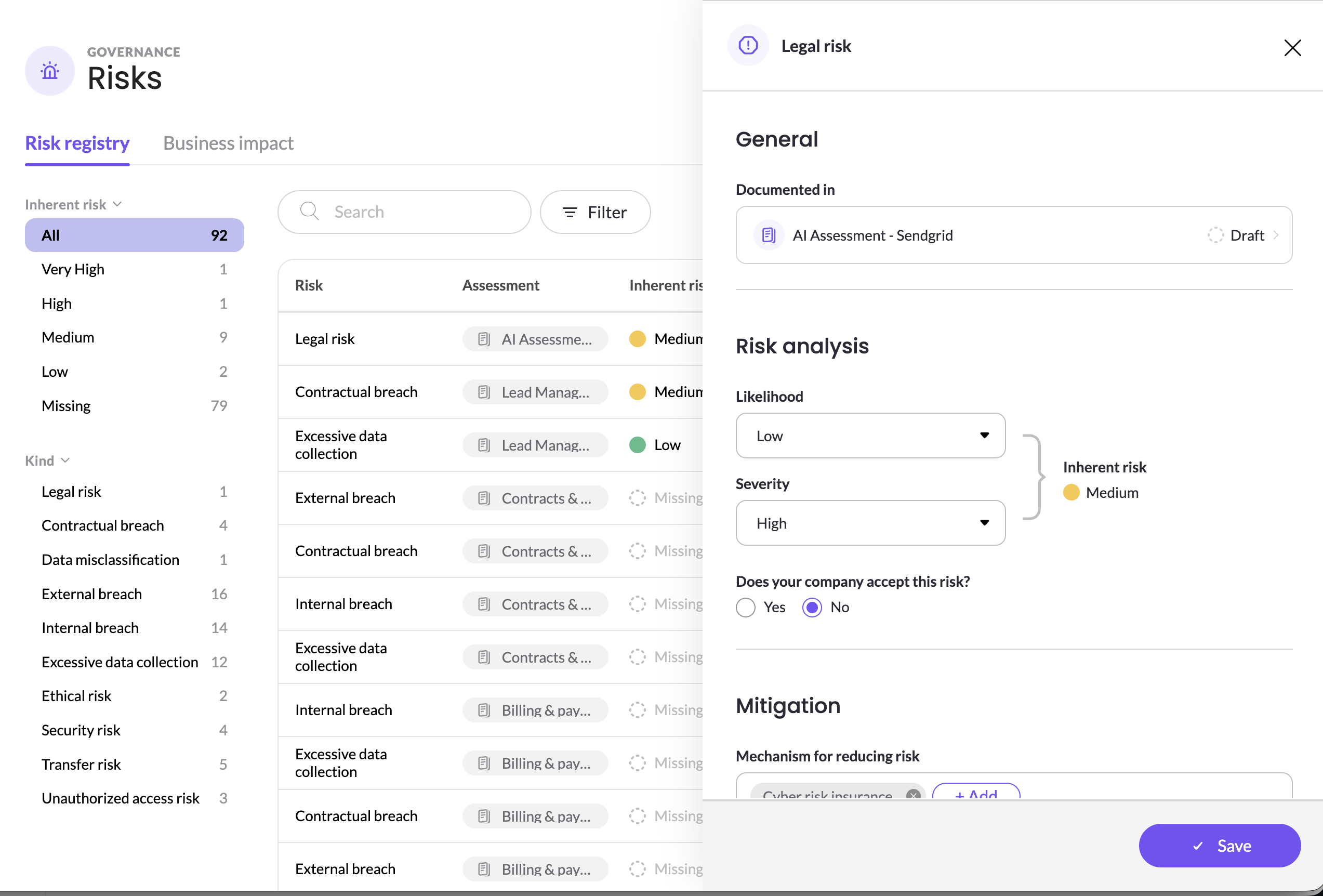
As mitigations are put in place, reassess the residual risk, so the registry reflects your current position. Changes made in the registry also appear in the original assessment.
Export your risk registry
Export the registry to share your risk position with leadership, auditors or other teams.
- In the risk registry, filter the list to the risks you need.
- Click the ⋯ menu and select Export table.
Customize your risk catalog
The risk catalog is the list of risk types available in every assessment. Keeping it aligned with your organization's risk framework, such as ISO 31000 or your internal risk taxonomy, means everyone describes risks the same way.
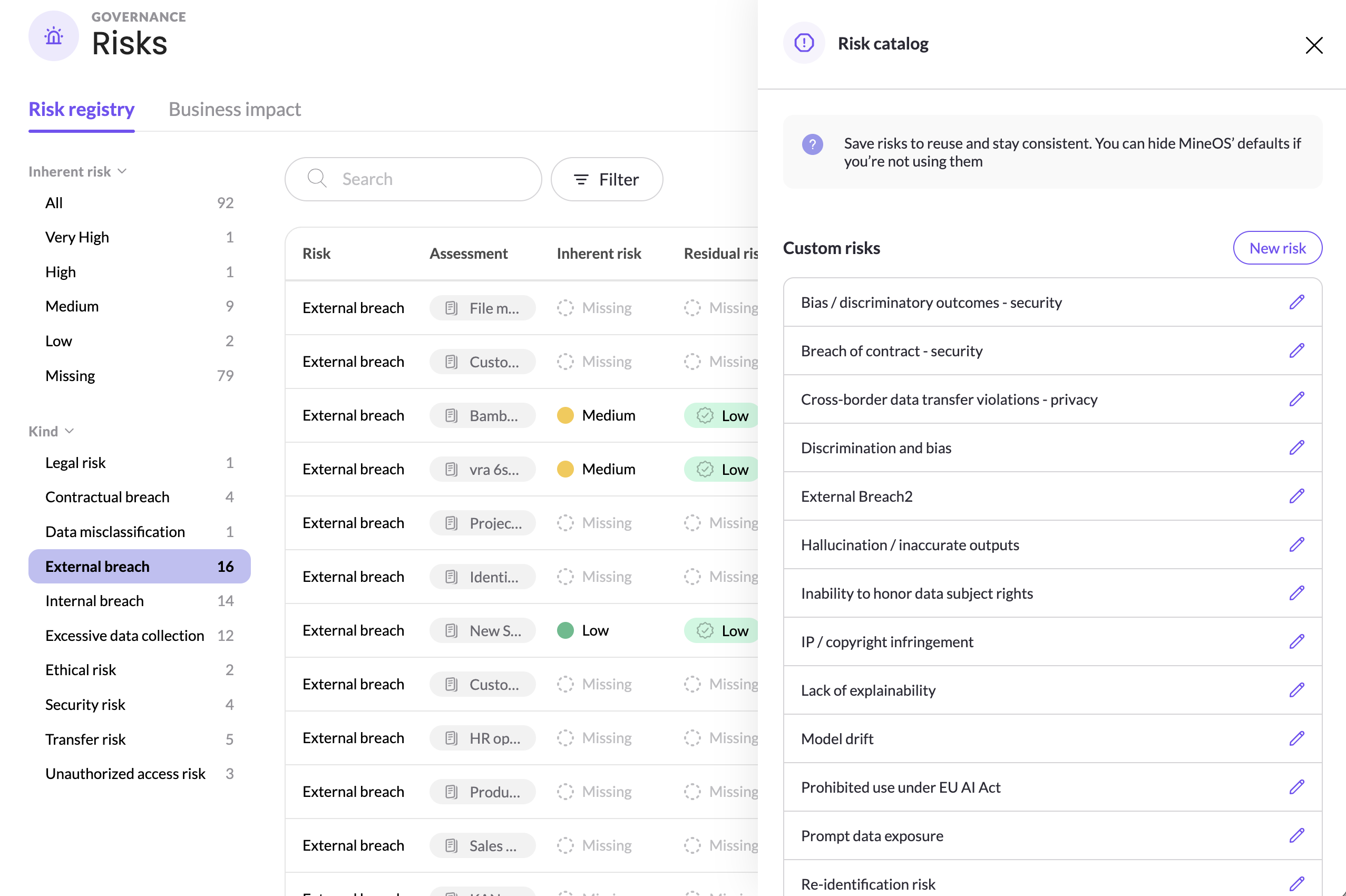
Descriptions and default labels
Each risk in the catalog can have:
- A description: explains what the risk means. It's shown on the risk wherever it's flagged, and Mira AI uses it to decide which risks to suggest in an assessment.
- Default labels: added automatically each time the risk is flagged in an assessment. Teams can still add or remove labels on an individual risk.
MineOS risks
MineOS includes a set of predefined risks that cover common privacy, security, vendor and AI scenarios, so you can start flagging risks right away. Each comes with a description and default labels.
You can change the default labels on a MineOS risk to fit your teams. Its name and description stay as provided.
If a MineOS risk isn't relevant to your organization, hide it. Hidden risks no longer appear when flagging a risk, but stay in place in assessments where they're already used.
Add a custom risk
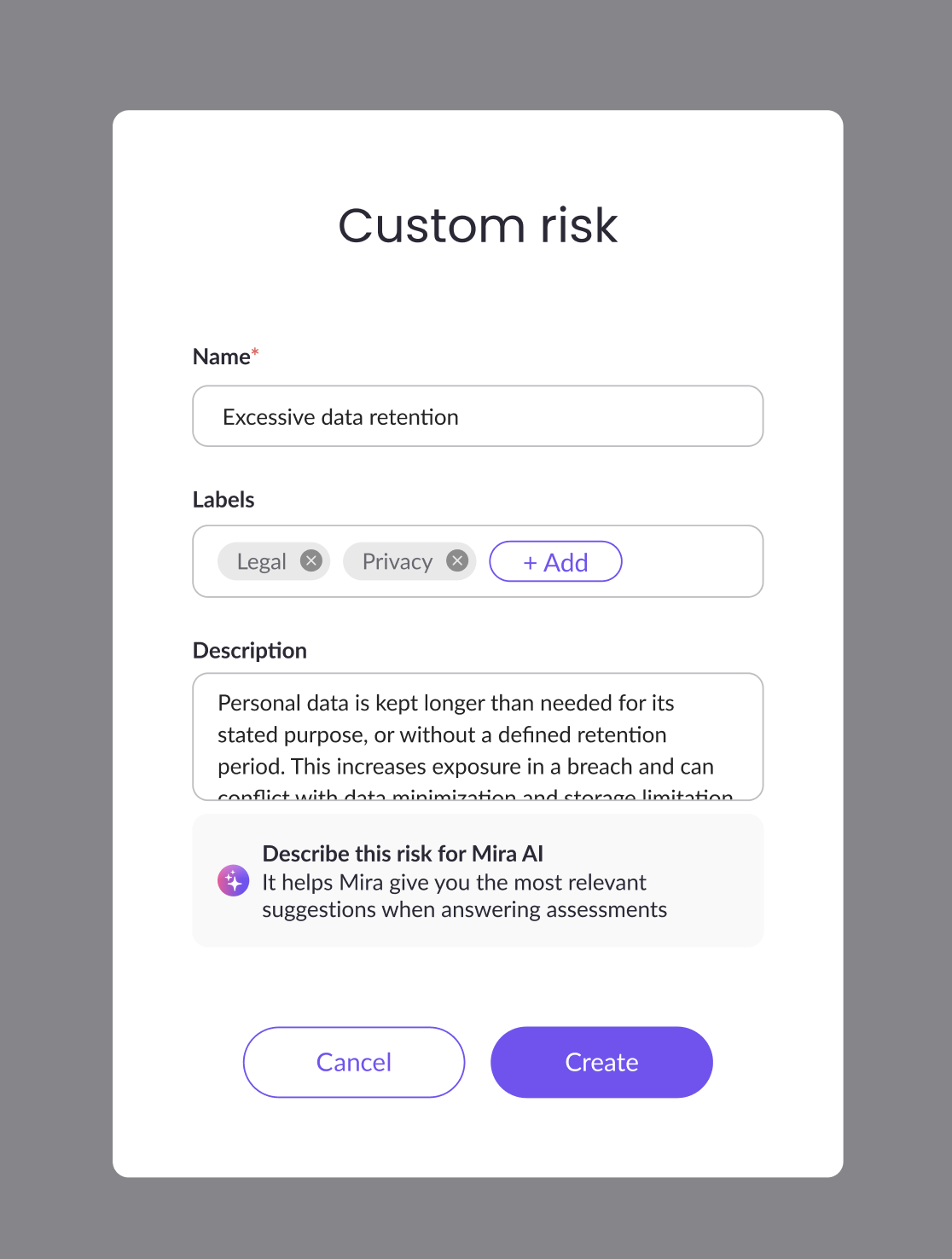
Create custom risks for concerns specific to your organization. Once added, a custom risk is available in every assessment type.
- Open the risk catalog.
- Click New risk.
- Enter the risk's name, a description and any default labels, and save.
Edit a custom risk
You can edit a custom risk at any time.
- Name and description: changes appear on the risk everywhere it's used.
- Default labels: changes apply the next time the risk is flagged. Labels on risks already flagged in assessments don't change.
Tips
- Set up your catalog before rolling out assessments, so teams flag and label risks consistently from the start.
- Write clear descriptions for custom risks, so teams know when to use them and Mira AI suggests them in the right assessments.
- Hide MineOS risks you don't use, to make the list easier to choose from.
- Review the registry regularly, for example monthly or before leadership reporting, and update residual risk as mitigations are completed.
Related articles
- Flagging risks in assessments: add risks while completing an assessment
- Managing risk: understand the risk lifecycle in MineOS
Updated 10 days ago