
Redacting Closed Requests Automatically
Automatically remove personal data from requests after they're closed — or redact one on demand
To minimize the personal data you retain, MineOS can automatically redact closed requests — removing the personal information (PII) from a request after it's been closed. You can also redact an individual request on demand.
Why redact
Redacting closed requests is a data-minimization best practice: you retain proof that a request was handled without keeping the personal data itself once the request is done.
Automatic redaction
In DSR Setup → Rules, turn on Redact closed requests automatically to have MineOS remove PII from requests after they're closed (within up to 30 days of closure). This keeps a record that the request was handled while ensuring you don't hold onto the data subject's personal information longer than you need to.
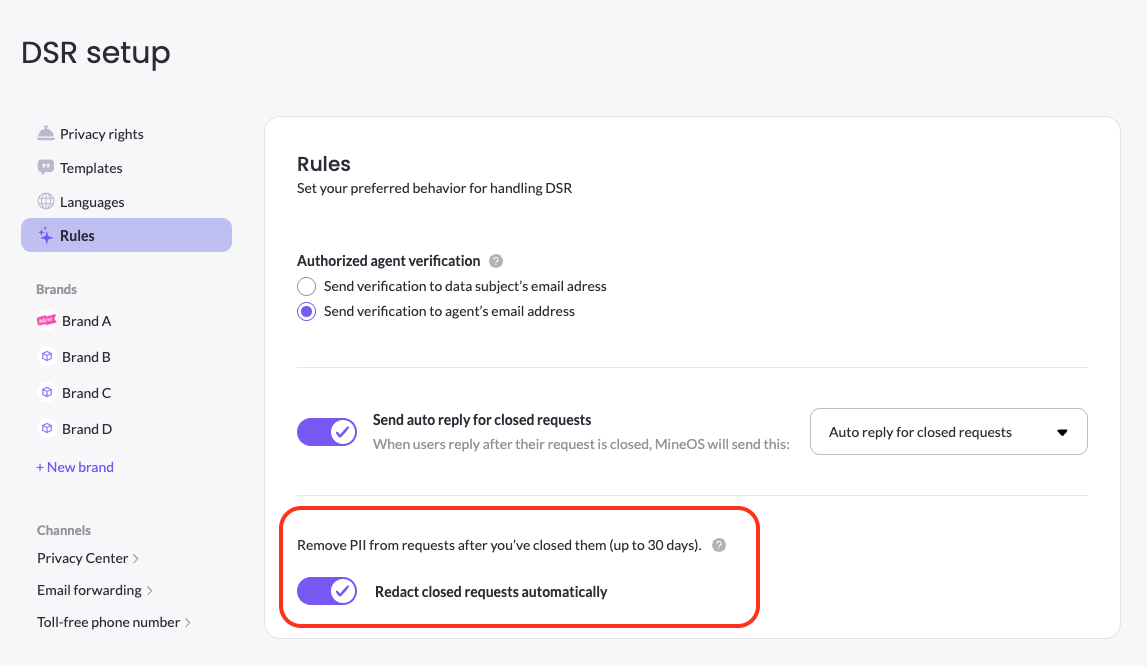
Once redaction runs, a request moves through Redacting to Redacted — the request record remains for your audit trail, but its personal data is removed.
Redact a single request
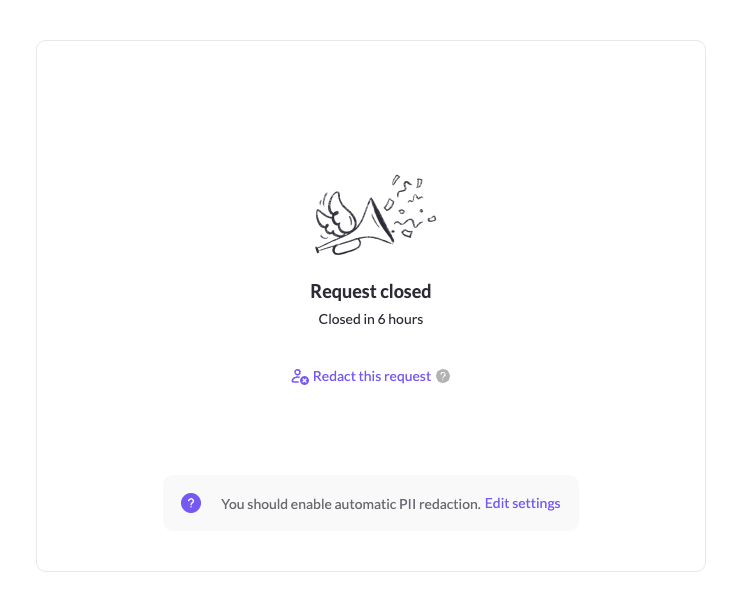
You don't have to wait for automatic redaction. On a closed request, click Redact this request to remove its personal data right away. If automatic redaction isn't enabled, the closed request also shows a prompt to turn it on.
Updated 3 months ago