
Set Up a Custom Email Sender Domain
Send DSR emails from your own domain by setting a verified custom sender address for each brand
By default, MineOS sends your DSR emails from a shared MineOS address. Setting a custom sender address lets data subjects see an address on your own domain as the sender, for a more trustworthy, on-brand experience.
The custom sender address is configured per brand — each brand has its own sender address for all outgoing DSR emails, including email templates and Privacy Center verification emails.
Where to configure it
Go to DSR Setup, open the brand you want to configure from the Brands list, and scroll to the Custom Sender Address section at the bottom of the brand page. The current sender address is shown there — by default, [email protected].
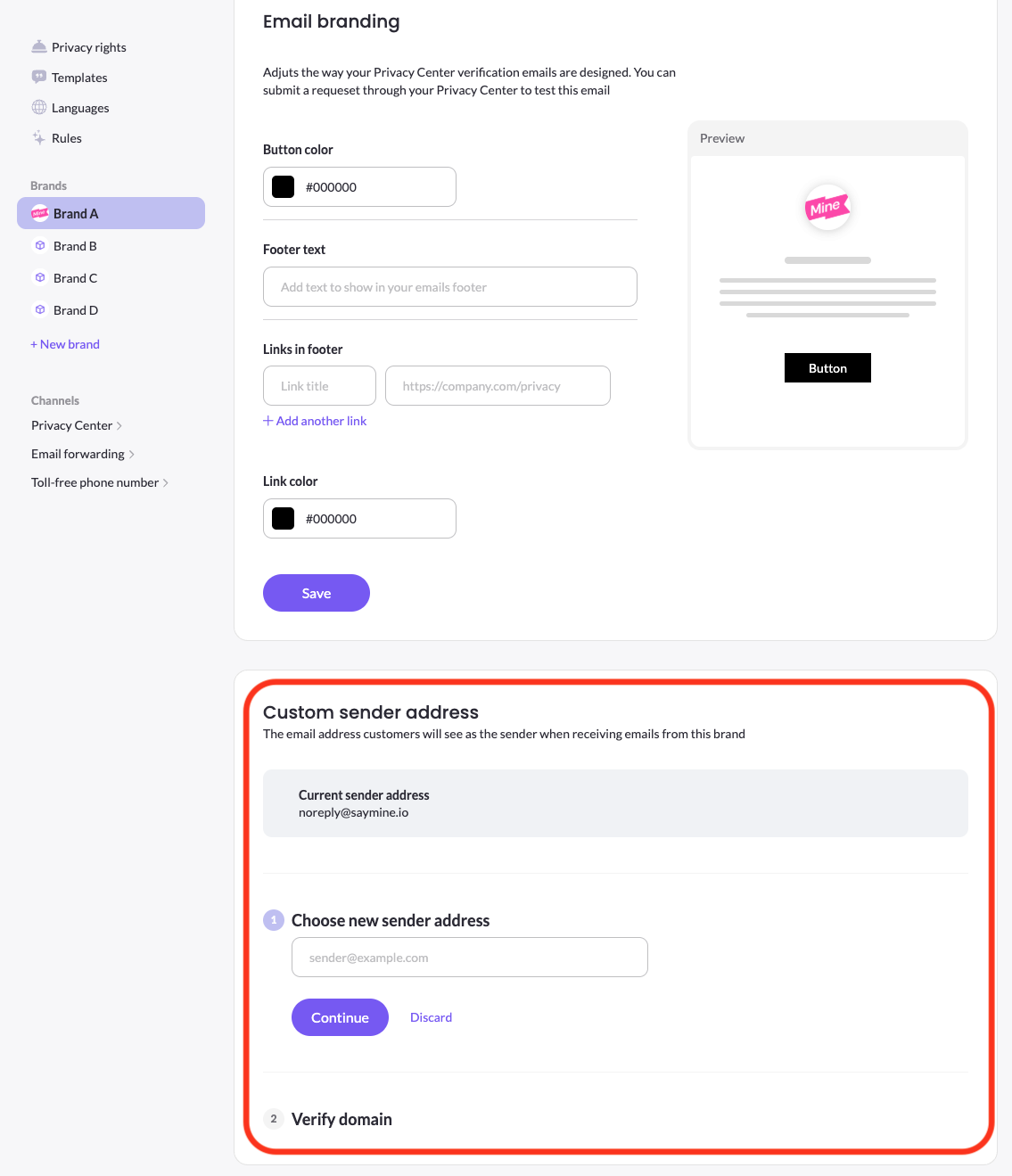
Set a custom sender address
- In the Custom Sender Address section, choose a new sender address and enter the full email address you want to send from (for example,
[email protected]). - Click Continue.
- Copy the DNS records MineOS provides into your domain's DNS manager.
- Back in MineOS, click Verify domain to check the records.
- When all records pass, the custom sender address becomes active for that brand. If any record fails, MineOS shows which ones so you can fix them.
Reusing a domain across brands
Within your company, the same domain can be reused across brands — each brand can use a different address on that domain (for example, [email protected] and [email protected]). If the domain is already verified for another brand, the verification step is skipped. A domain can't be shared across different companies.
Removing a custom sender address
Removing a custom sender address resets that brand back to the default [email protected]. If the domain is shared with other brands, removal only affects the brand you remove it from — the domain stays active for the others, so removal is done brand by brand.
Updated 3 months ago