
Appearance & translations
Customize how a privacy right's name and description appear on your Privacy Center, including translations.
The Appearance & translations tab, under Display, controls how a privacy right is presented to data subjects on your Privacy Center — its name, description, and translations.
Name and description
Set the Right name and Short description that data subjects see when choosing this right on your Privacy Center. Both are required. For example, the delete right might appear as "Delete my data" with the description "Deletion of personal data."
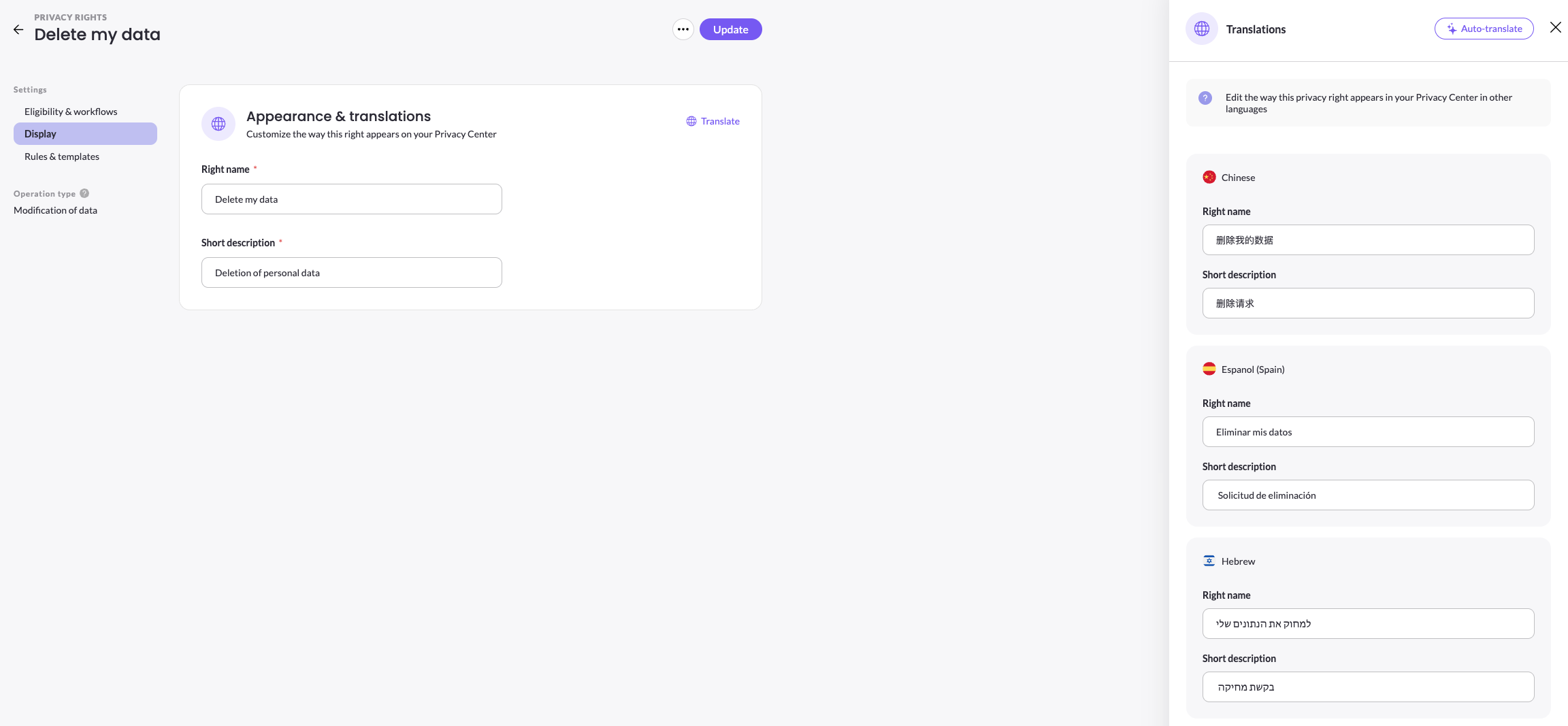
Translations
To present the right in other languages, click Translate. In the Translations panel, edit the Right name and Short description for each language — for example Chinese, Spanish, Hebrew, or Hindi.
Click Auto-translate to generate translations automatically, then review and adjust any of them before saving.
The languages available to translate into here come from your account's master language list. To add a language that isn't listed, add it first under DSR Setup > Languages — see Languages. Right name and description translations are global: they apply across all brands and Privacy Centers that display the right.
Updated 3 months ago