
Managing Copy Requests
Collect a data subject's data, filter & redact it, compile it into a copy report, and send — here is a deep dive into the access-request flow
A copy request — the right of access, shown as Get a copy of my data — asks you to provide the data subject with a copy of the personal data you hold about them. Copy requests are processed differently from deletion requests: instead of running deletions, MineOS collects the data subject's data from your systems and compiles it into a report you review before sending.
How a copy request is processed
-
By default, a copy request is processed with the Standard workflow defined in the DSR setup under the Get a copy of my data right. You can assign a different workflow either manually or by using the public API.
-
The starting point of the copy request is as following:
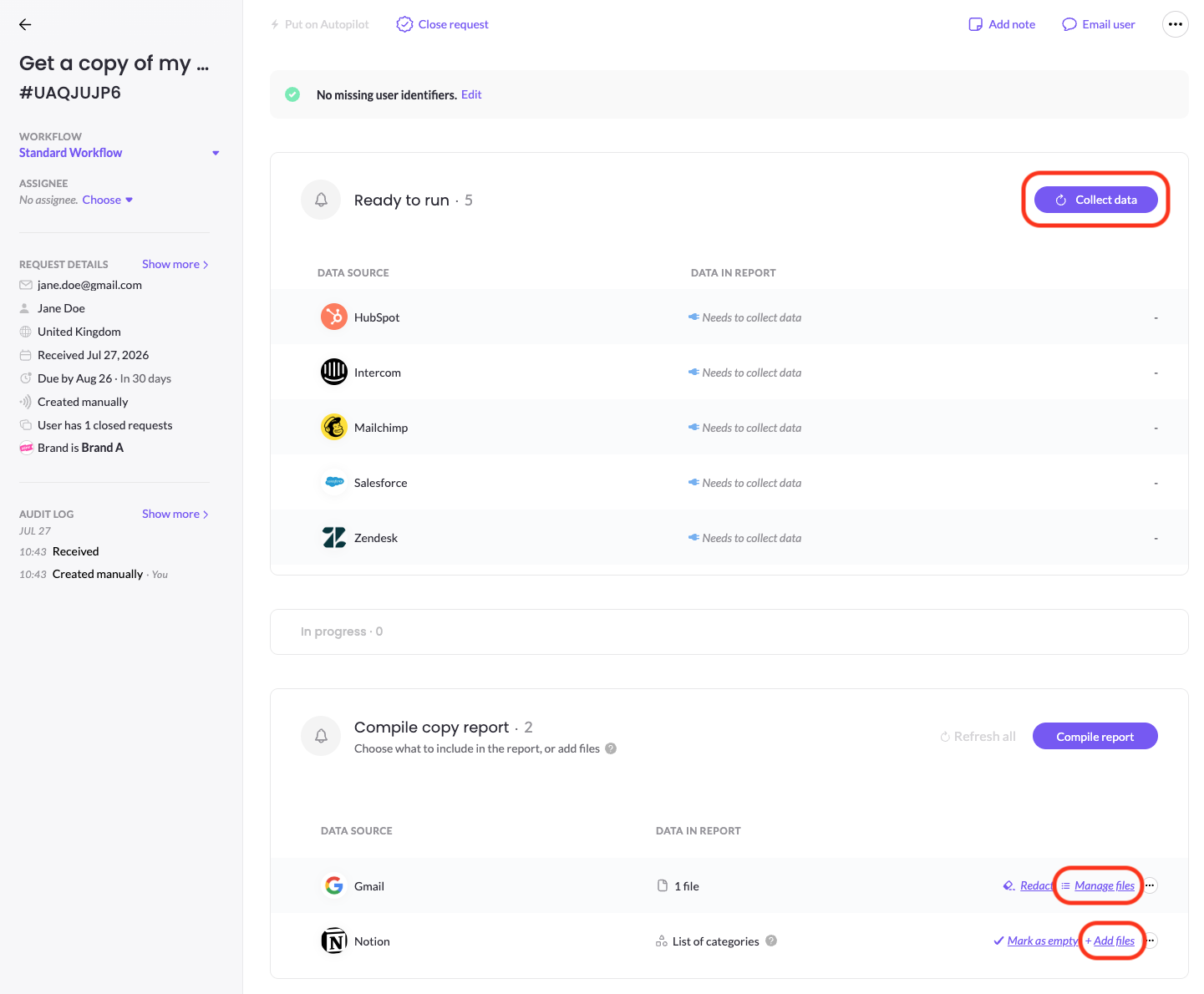
- Automated integrations are located under the Ready to run section as they await collection. Click Collect data to trigger collection. During processing these integrations move to the In progress section, and once processing finishes successfully they move to the Compile copy report section.
- Manual integrations are located under the Compile copy report section and needs to be manually collected in your own systems.
-
If a manual search has returned results, upload the file to the integration by clicking on +Add file or Manage files (if you already uploaded at lease a single file). You can remove files after upload if needed.
-
If a manual search has returned empty, then click on Mark as empty to indicate that a search was done and no files were found.
-
-
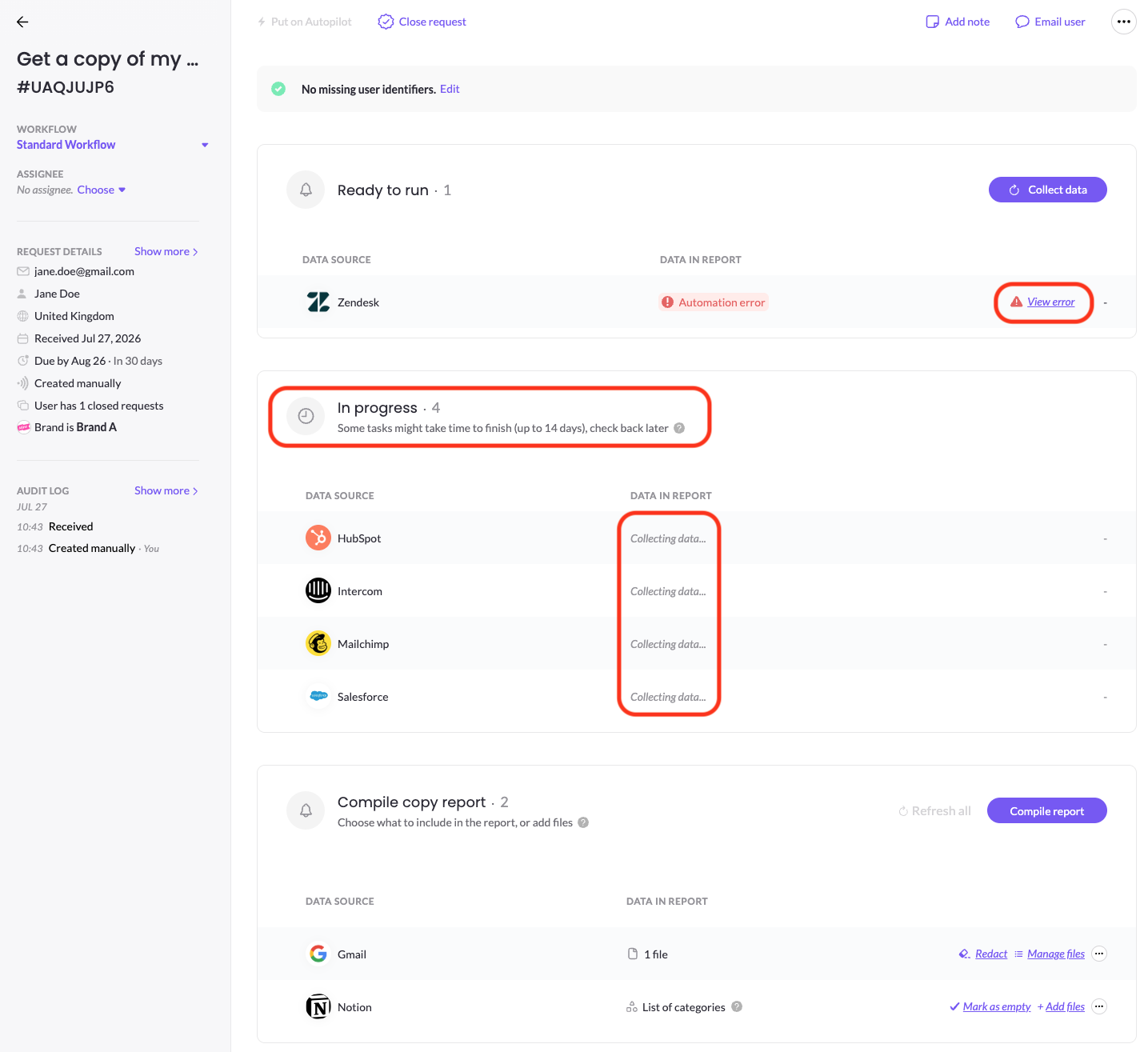
In progress — automated collection runs; sources move to the next step as they finish collection. If an integration hits a problem, it will be under the Ready to run section showing an error you can inspect with View error.
-
Redaction — once all integrations has finished data collection, wether automatically or manual, you can now move to redact sensitive data. Redaction is done separately for Unstructured data (files) and Structured data (records).
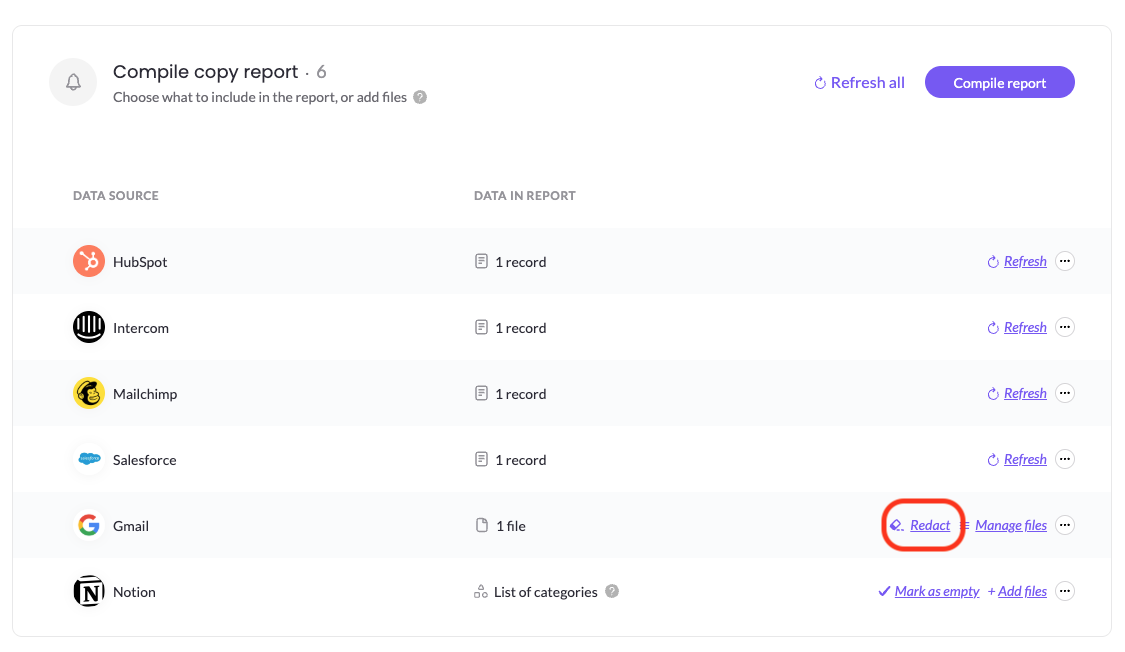
- Unstructured data (files) redaction — wether collected automatically or manually, clicking Redact will take you to the Redaction tool, where you can:
-
Remove files to be excluded from the copy report
-
Redact sensitive data types from files - this is the main usage of the Redaction UI. Read more on this step in the eDiscovery agent for Documents article.
-
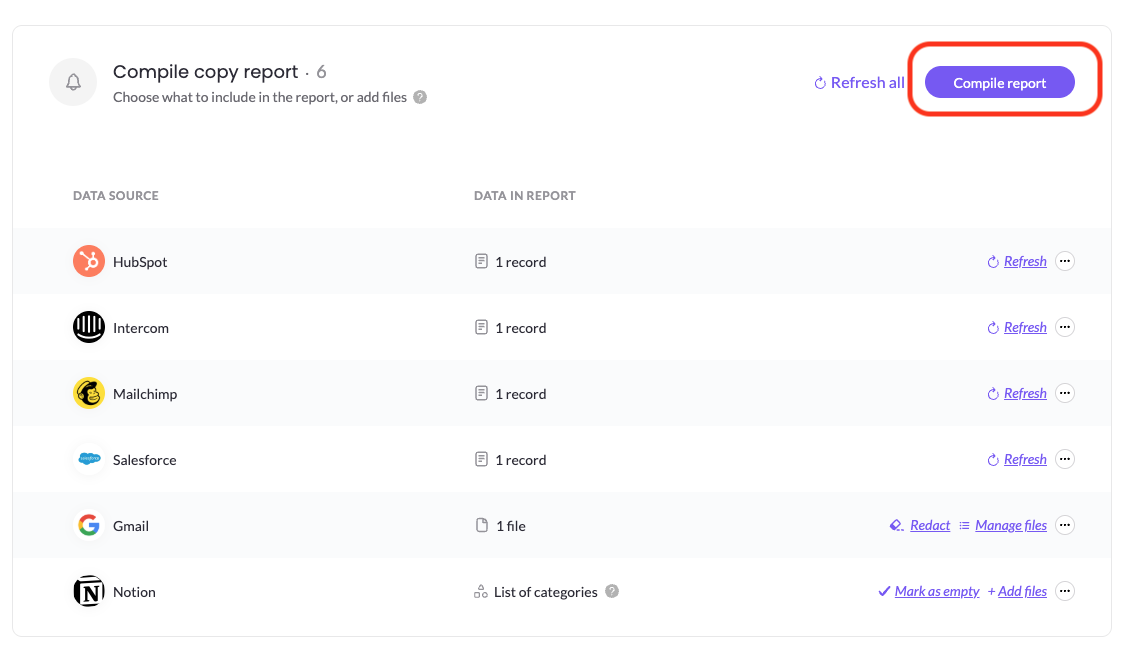
- Structured data (records) redaction — this redaction is triggered once you click on Compile report. Read more on this step in the eDiscovery agent for SaaS & DB article.
- Unstructured data (files) redaction — wether collected automatically or manually, clicking Redact will take you to the Redaction tool, where you can:
-
Compile — click Compile copy report to generate the report. Make sure that all integrations have finished running successfully, both automated and manual, as integrations still in process, empty integrations and integrations with errors will not be included in the copy report.
-
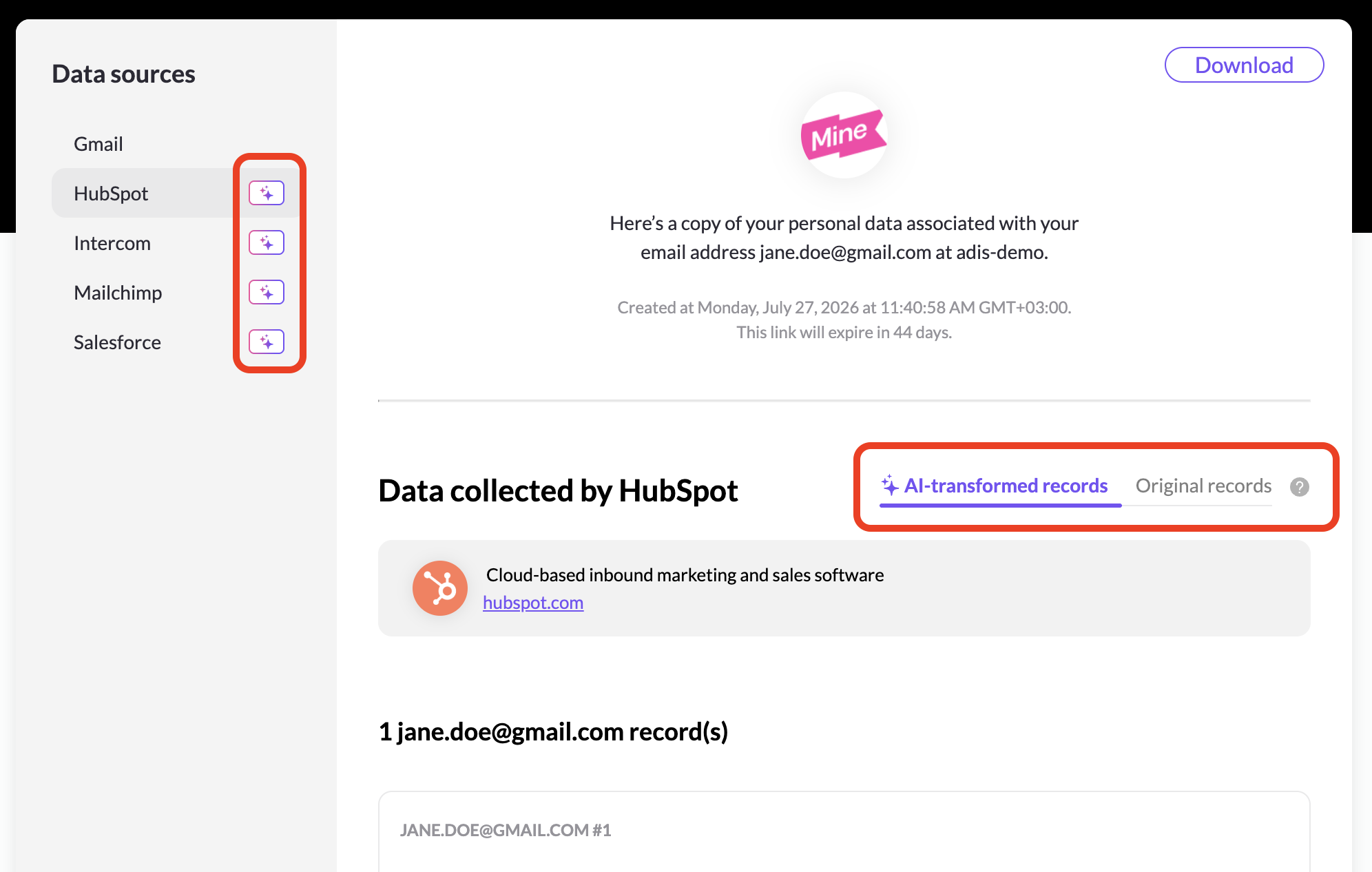
Preview — After compilation is done, click Preview report and the Copy report will open up on a new tab. The copy report is structured by systems, which are visible on the left side of the report. Once clicking on a system you will see which data does it hold, wether it is files (which can be downloaded) or the json data (which is transformed and redacted. according to your instructions).

Near each system that the eDiscovery agent for SaaS & DB has processed you will see an AI icon, and you are able to review the original results against the AI-transformed results. The AI indications and the original records are only visible to MineOS users, they are not shared with the data subject.
-
Send — after you reviewed the compiled report, it is now time to send the report to the data subject and close the request. Go back to the MineOS portal tab, click on Reply to user, which opens up the communication panel. The Copy completion template you have define is inserted automatically, and you can now Send & close the request.
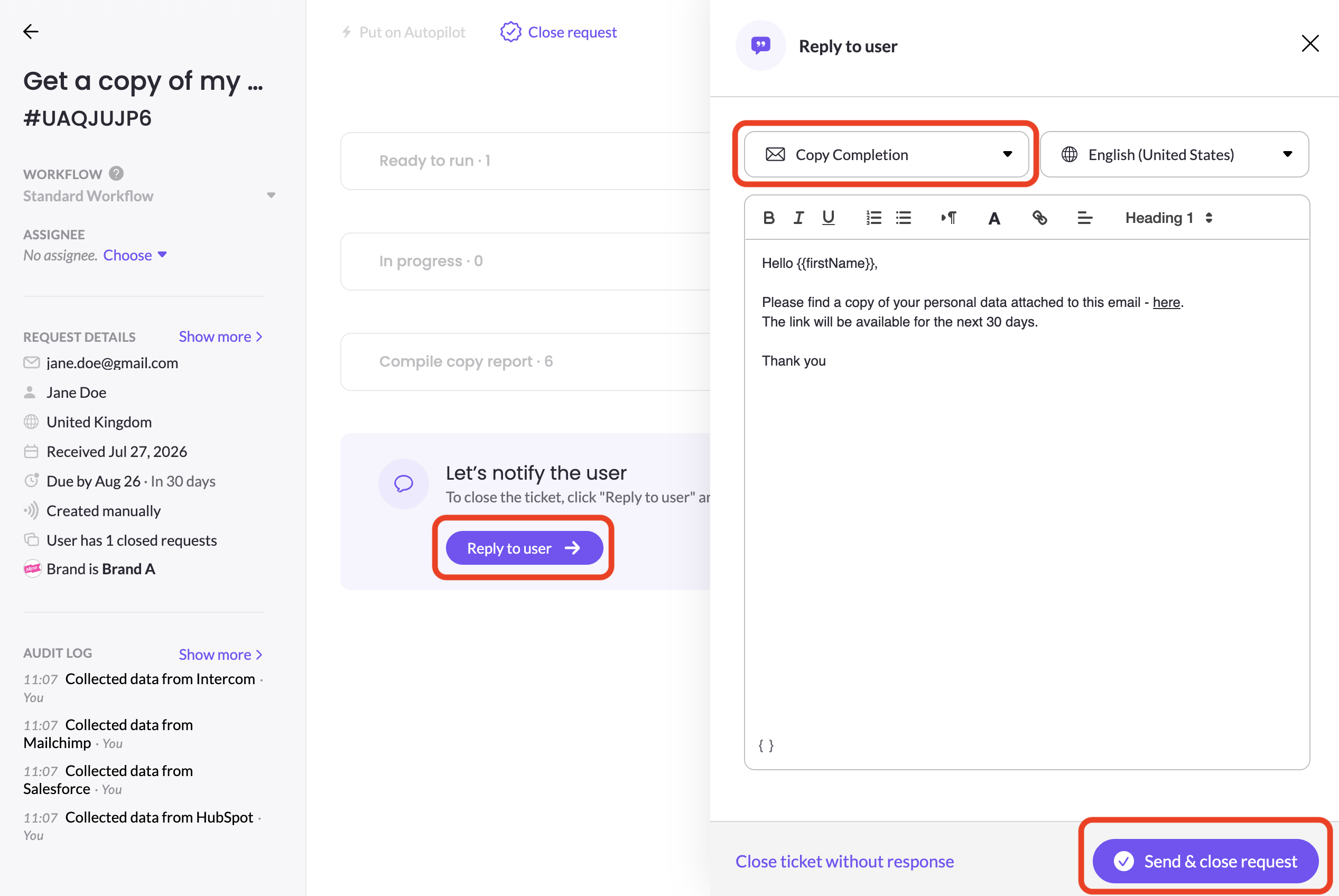
There is also an option to close the request without sending a reply to the user.
Refreshing integrations
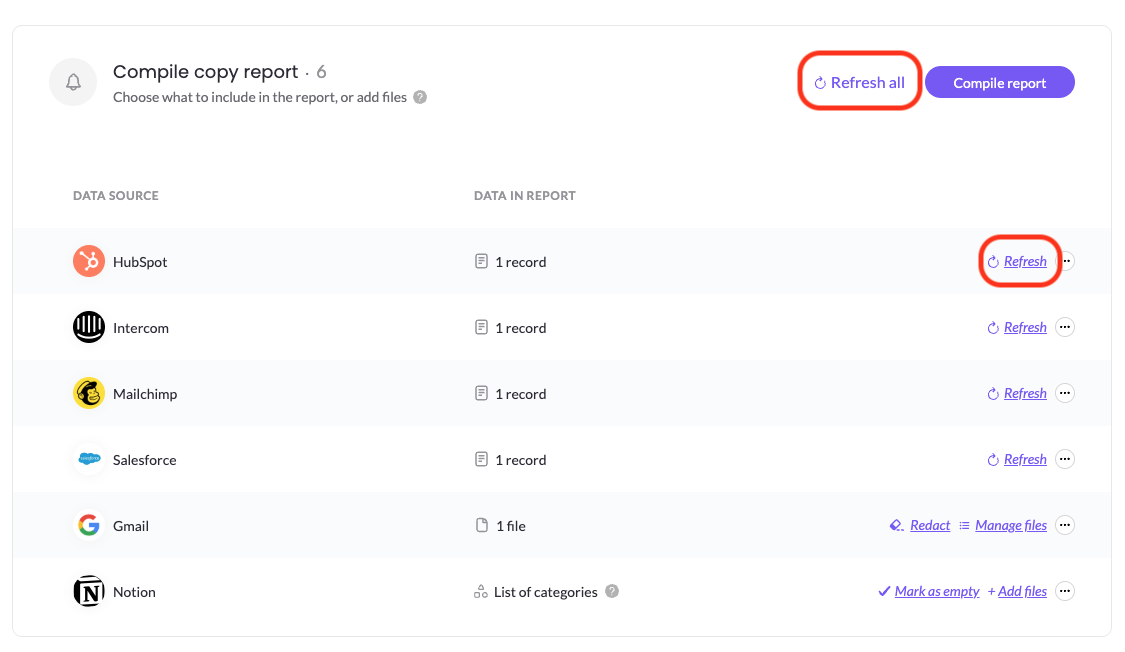
You have an option to Refresh an automated integration or Refresh all automated integrations to re-collect data. Note that once the integration re-collects data it will override previous collected data and previous changes you have applied to that data, such as removing and redacting files, so use it carefully.
DSR copy integrations
Under Get a copy of my data right you can manage different workflows, each workflow consists of systems/integrations. Each DSR copy integration has its own scope of which objects it returns. If there is a missing copy integration, please contact your CSM and we will add it.
Related articles
- Customizing Access Request Copy Reports — tailor what the copy report looks like and includes.
- Custom Storage for Copy Reports — store copy report data in your own cloud storage.
Updated 3 months ago