
Customizing Access Request Copy Reports
Add your privacy policy link and per-system descriptions to the copy reports data subjects receive.
You can tailor the copy report a data subject receives — add your privacy policy link, and include custom descriptions for each system that appears in the report.
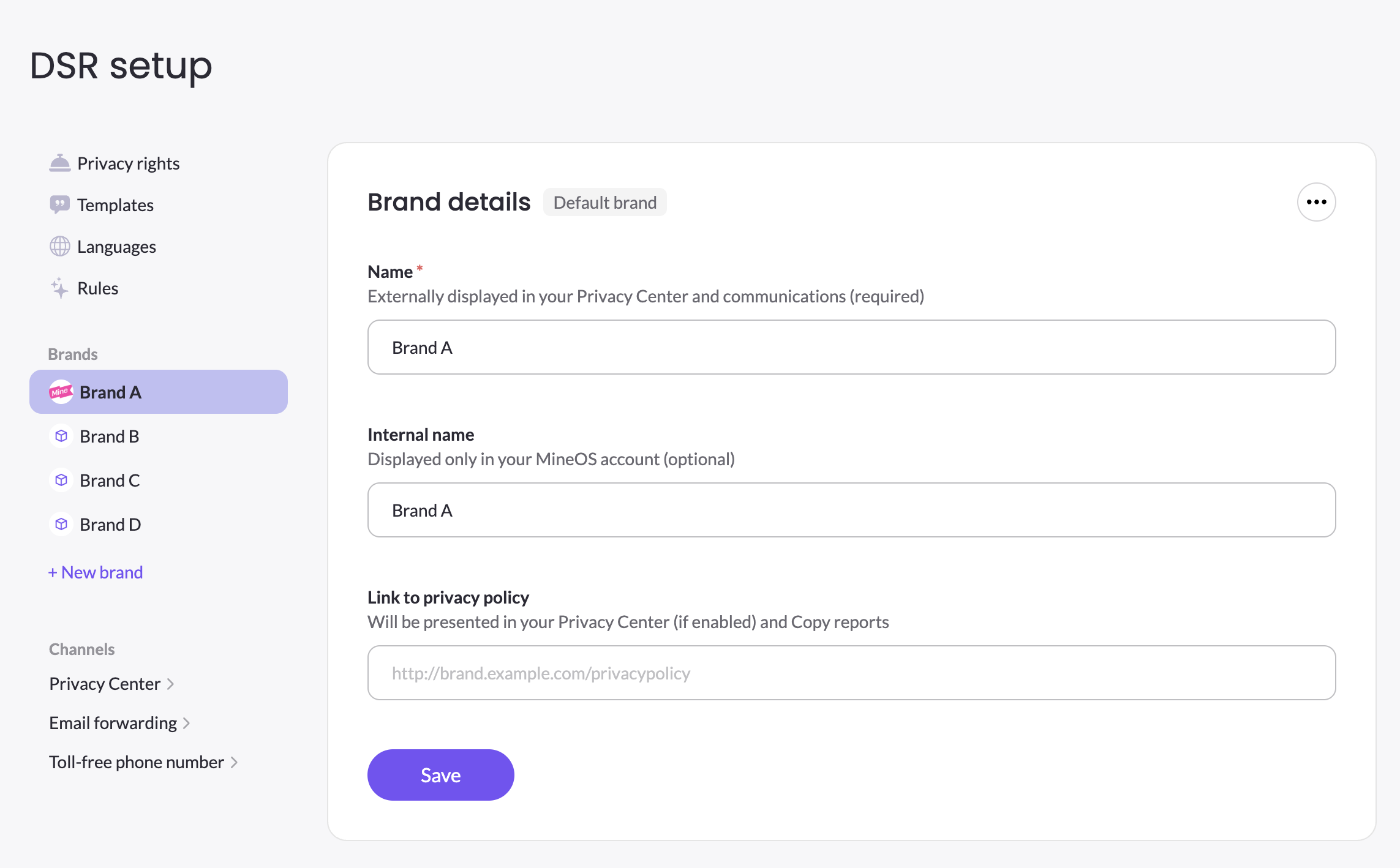
Add a privacy policy link
The privacy policy link is set per brand. In DSR Setup, open the brand and, under Brand details, set Link to privacy policy. This link is presented in that brand's Privacy Center (if enabled) and in its copy reports.
Add descriptions to systems in the report
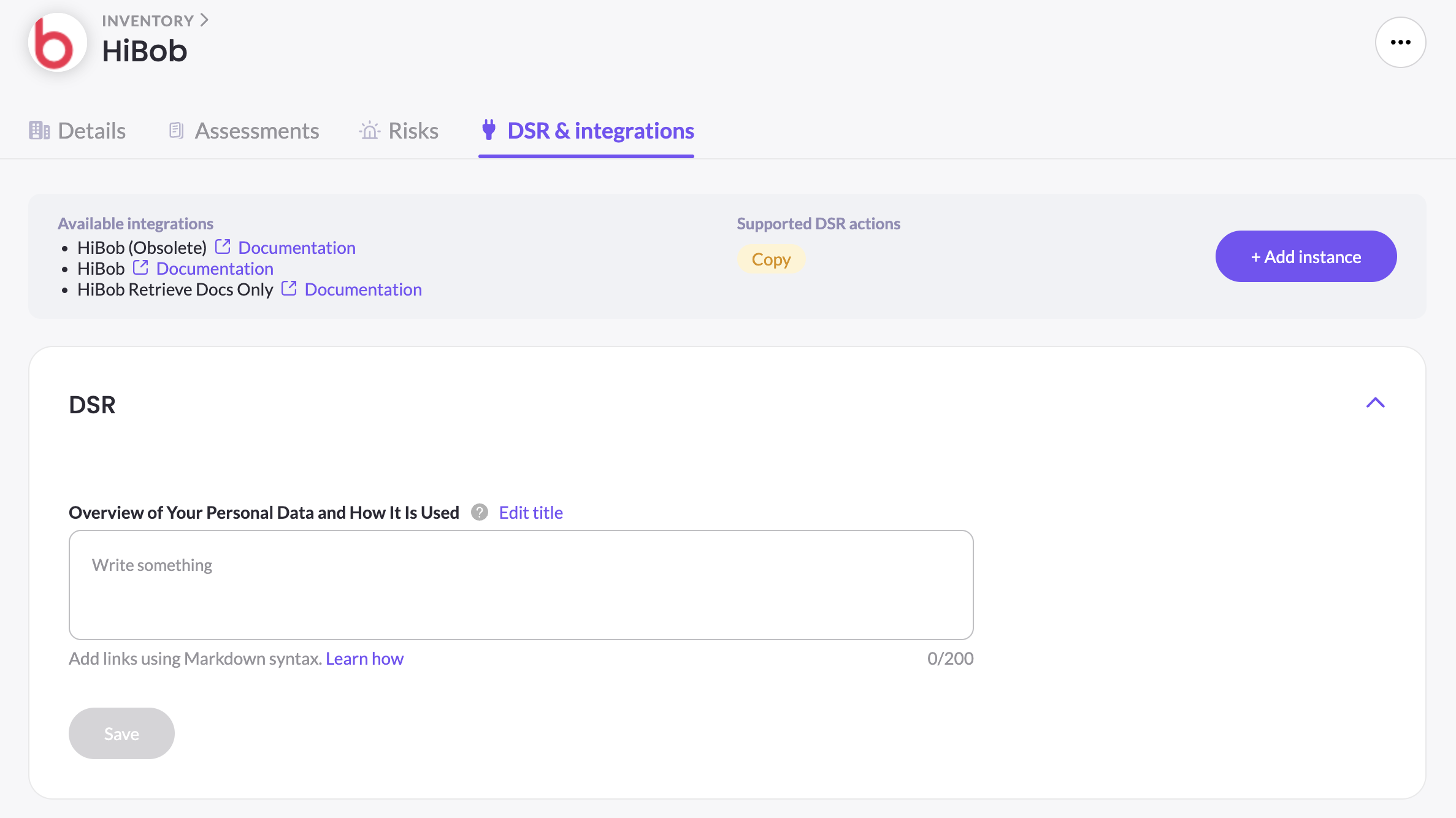
You can add a custom section to the copy report for each system — useful for required legal information, such as the legal basis for collecting the data, a description of how customer data is used in that system, why, and retention periods.
To use the description section:
- Set a title for the section and click Save. Once done, each system page will have the new section enabled, allowing you to add the information you require.
- Open the Inventory page and select the system you want to describe.
- Locate the new section and add the text you want to include in copy reports. You can use Markdown to style the text with headers, bullet points, and more.
Updated 3 months ago