
Managing Privacy Rights in the Privacy Center
Choose which privacy rights appear in your form, control their order, and rename or translate them.
The Privacy rights tab shows all rights that are currently enabled in your DSR setup. Only enabled rights appear here — if a right is disabled in DSR Setup → Privacy rights, it won't show in this tab or on the live form.
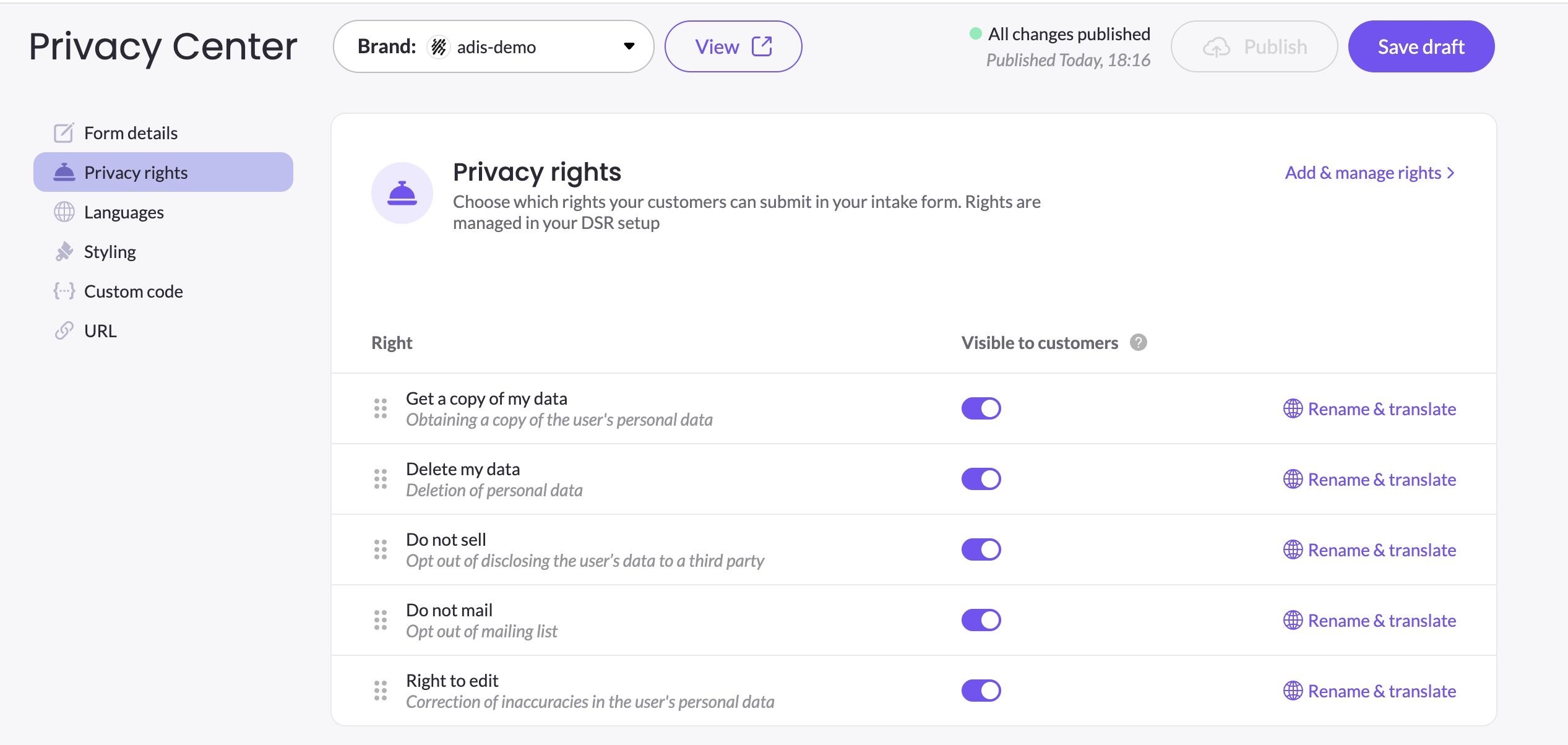
Showing and hiding rights
Each right has a toggle that controls whether it appears in your Privacy Center. Changes are saved automatically when you toggle a right — no need to click Save draft.
You cannot turn off all rights — the last remaining enabled right's toggle is locked to prevent an empty form. To manage which rights are available overall, go to DSR → DSR setup → Privacy rights.
Turning off a right that has conditional logic applied
If you try to turn off a right in the Privacy Center and other elements have conditional logic that depends on it, a dialog appears listing which elements are affected and prompting you to remove those conditions first. This applies whether the Privacy Center is in draft or published state.
Reordering rights
Drag rights up or down using the drag handle (⠿) on the left of each row to control the order they appear in the form. Changes are saved automatically when you drop a right into its new position.
Both toggle and reorder changes are saved to your draft automatically. They will only appear on the live form after you click Publish.
Renaming and translating rights
Click Rename and translate on any right to edit its display name and description. This navigates you to DSR Setup → Privacy rights, where you can update the right's name, description, and translations across all enabled languages.
Changes made there are reflected across all brands that display that right.
Validation when modifying rights in DSR Setup
Changes you make in DSR Setup → Privacy rights can affect your Privacy Center. MineOS protects against inconsistencies in two cases:
Disabling a right in DSR Setup that is in use in a Privacy Center — a dialog appears listing which Privacy Centers are currently showing that right and prompting you to turn it off there first. The right cannot be disabled until it has been removed from all affected Privacy Centers. This applies whether each Privacy Center is in draft or published state.
Deleting a right from DSR Setup that is in use in a Privacy Center — the same dialog appears, listing the affected Privacy Centers with direct links to each one. The right cannot be deleted until it has been removed from all affected Privacy Centers. This applies whether each Privacy Center is in draft or published state.
Things to keep in mind
- The Privacy rights tab is per brand — toggling or reordering rights here only affects the current brand's Privacy Center.
- Rights that are disabled in DSR Setup do not appear in this tab. To add a new right, go to DSR → DSR setup → Privacy rights.
- After making changes, click Publish when ready to go live.
Updated 3 months ago