
Multibrand and the Privacy Center
Each brand in your account has its own independent Privacy Center — its own form, rights, languages, styling, and custom code.
If your account has multiple brands configured, each brand has a separate Privacy Center. Changes made in one brand's Privacy Center have no effect on any other. This allows you to tailor the privacy request experience for each of your brands independently.
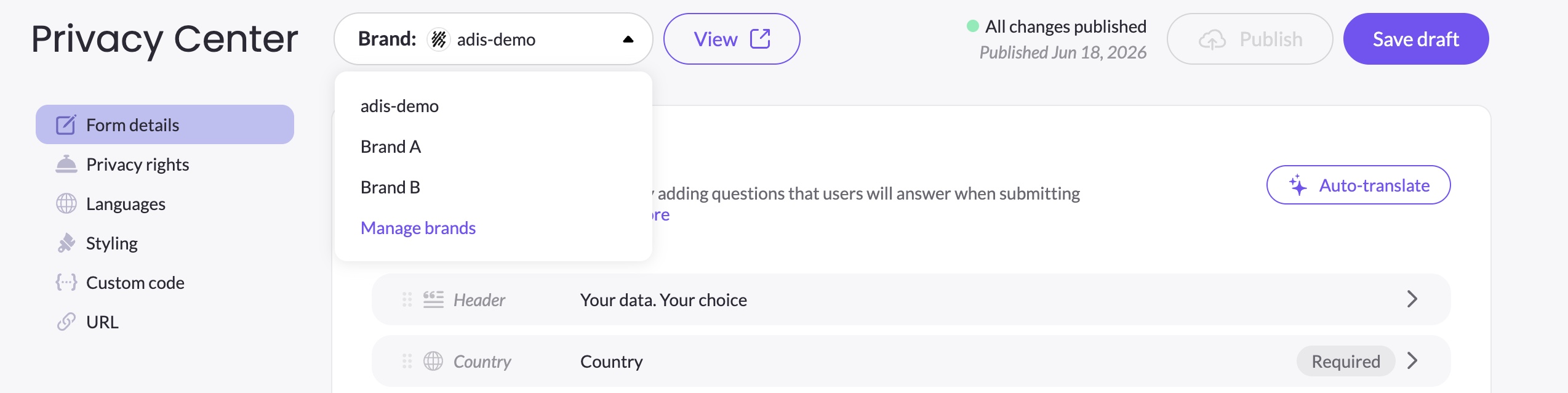
Use the Brand dropdown in the top bar to switch between brands.
Multibrand is available on specific plans. If it's not included in your current plan, clicking + New brand in DSR Setup will show a dialog letting you know it's not part of your plan. Contact your Customer Success Manager to discuss upgrading.
Creating a new brand's Privacy Center
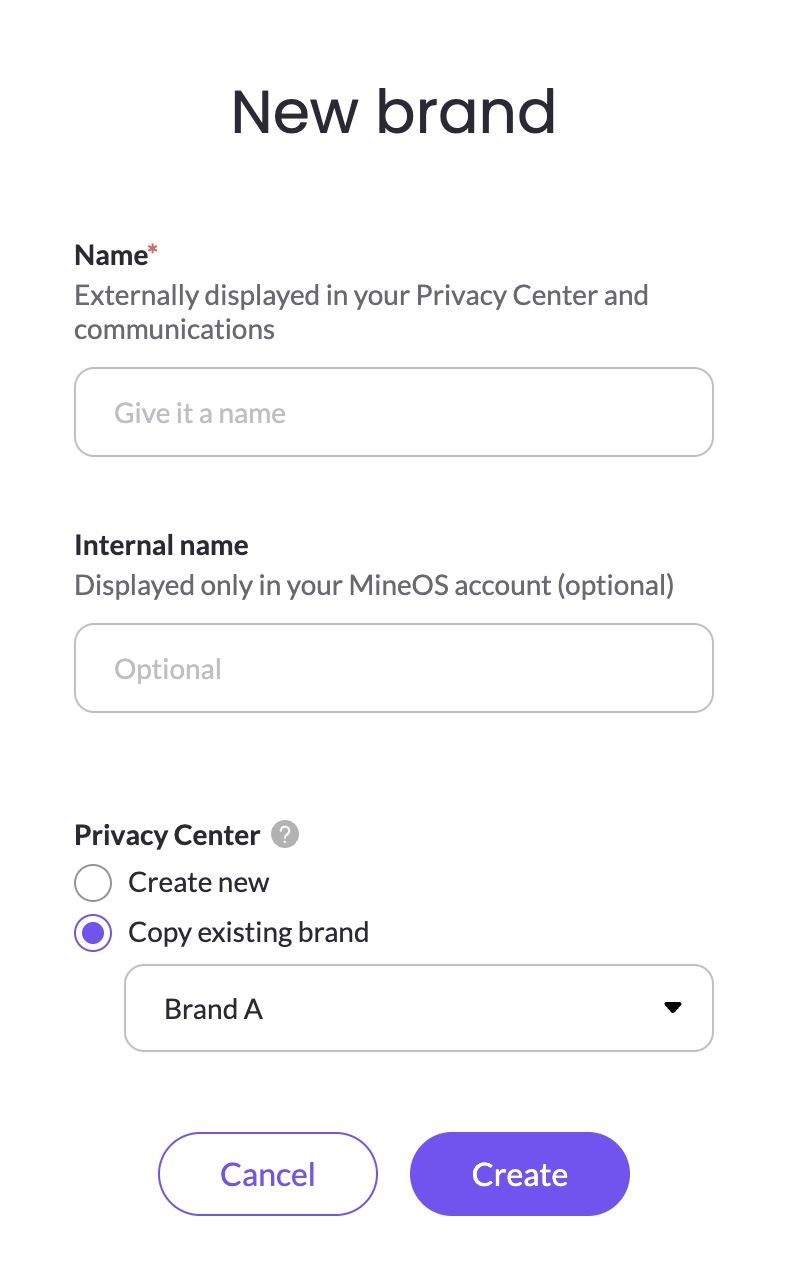
When you create a new brand in DSR → DSR setup, a dialog asks you how you want to set up its Privacy Center:
Create new — starts the Privacy Center from scratch with the default form configuration. The two default rights (Delete and Get a copy) are enabled, and the form includes the standard built-in elements. The new PC opens in Never published state.
Copy existing — copies the entire Privacy Center configuration from an existing brand. A dropdown lets you select which brand to copy from. The copied PC opens as an Unpublished draft — nothing goes live until you review it and click Publish. Copying a Privacy Center copies the configuration only — the URL and custom domain are not copied and must be set up separately for the new brand. See URL & Custom Domain for details.
Best practice: If you plan to use an identical or similar Privacy Center across multiple brands, fully configure your first brand's Privacy Center before creating additional brands. When you then create a new brand and choose Copy existing, you'll start from a complete configuration and avoid doing the same setup work twice.
Managing brands
Click Manage brands in the Brand dropdown to go to DSR Setup, where you can create, rename, or delete brands.
Deleting a brand also removes its Privacy Center permanently.
Independent configuration per brand
Every aspect of the Privacy Center is managed independently per brand:
- Form elements and logic — each brand's form is fully independent. Conditions, custom elements, and field order are not shared.
- Privacy rights — which rights are shown and in what order can differ per brand.
- Languages and translations — each brand can show different languages and have its own translations.
- Styling — colors, fonts, logo, and field appearance are per brand.
- Custom code — head and footer code are per brand.
- URL — each brand has its own URL slug and optionally its own custom domain.
Note: If you rename your brand after the Privacy Center has been created, the URL slug is not automatically updated to reflect the new name. To update the slug, go to the URL tab and change it manually, then click Publish new URL.
Updated 3 months ago