
Verification
Confirm a data subject's identity after they submit a request, before any data is touched
The verification email confirms that the person submitting a request is the data subject they claim to be. It's sent automatically after a request is submitted via the Privacy Center, and the request stays unverified until the data subject completes verification. For requests created via other channels, such as Manual creation, Import, or API, the request is considered verified and no email verification is sent to the data subject.
When it's sent
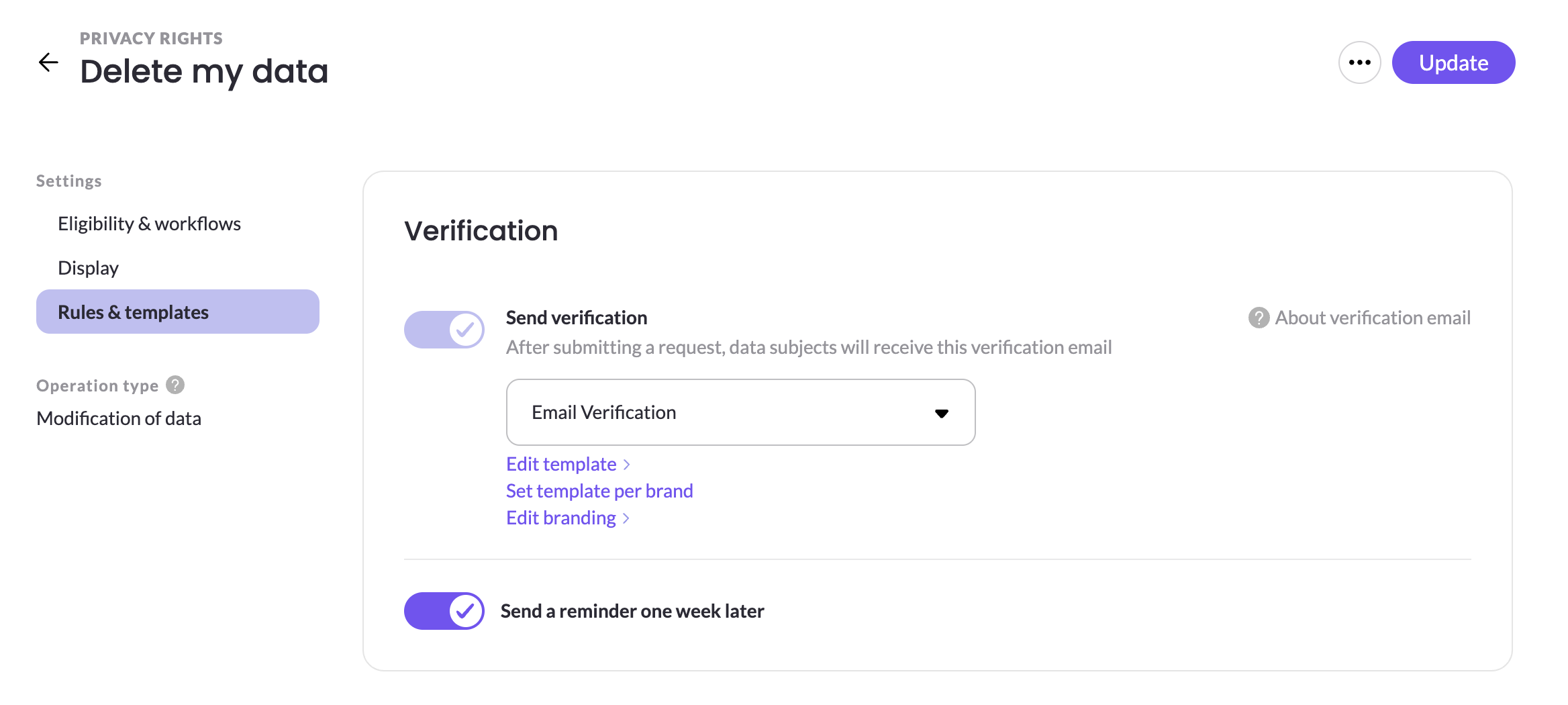
After a data subject submits a request via the Privacy center, they receive the verification email. Verification is enabled per right with the Send verification rule, which also selects the verification template to use.
What the email contains
The verification email includes two non-editable elements:
- A Confirm my email address button.
- A notice that the link will expire within 7 days.
You can edit the rest of the email's bod and email's branding, and optionally enable Send a reminder one week later so data subjects who haven't verified receive a follow-up verification email.
Verification reminder
You can configure to Send a reminder one week later with a new verification link with a 7-day expiration length. Te verification reminder will be sent only if the data subject hasn't completed verification within the first 7 days.
After verification
Once the data subject confirms, the request becomes verified and moves to Open status, ready for your team to process.
Tempalte per brand
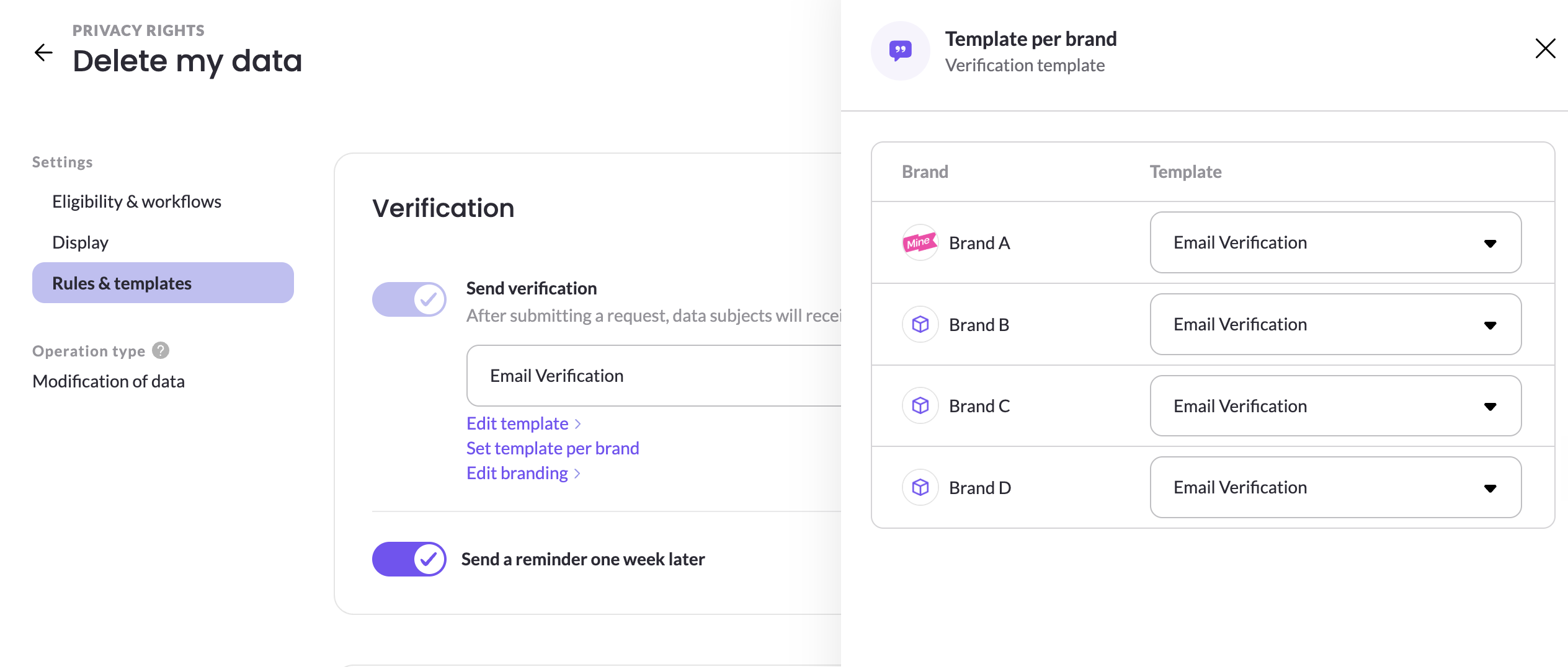
If you run a multi brand company, you have an option to configure to send a different template per brand by clicking Set template per brand. It will open a configuration panel where you can select which template to use for each brand.
Updated 2 months ago