
Managing Privacy Rights in DSR setup
Choose which privacy rights data subjects can exercise, add custom rights, and open each right's configuration.
Privacy rights are the actions a data subject can ask you to take on their personal data — such as deleting it or receiving a copy. The rights you enable in the DSR setup are available across your portal, and each one carries its own eligibility, processing workflow, SLA, display text, communication templates, and rules.
The standard rights
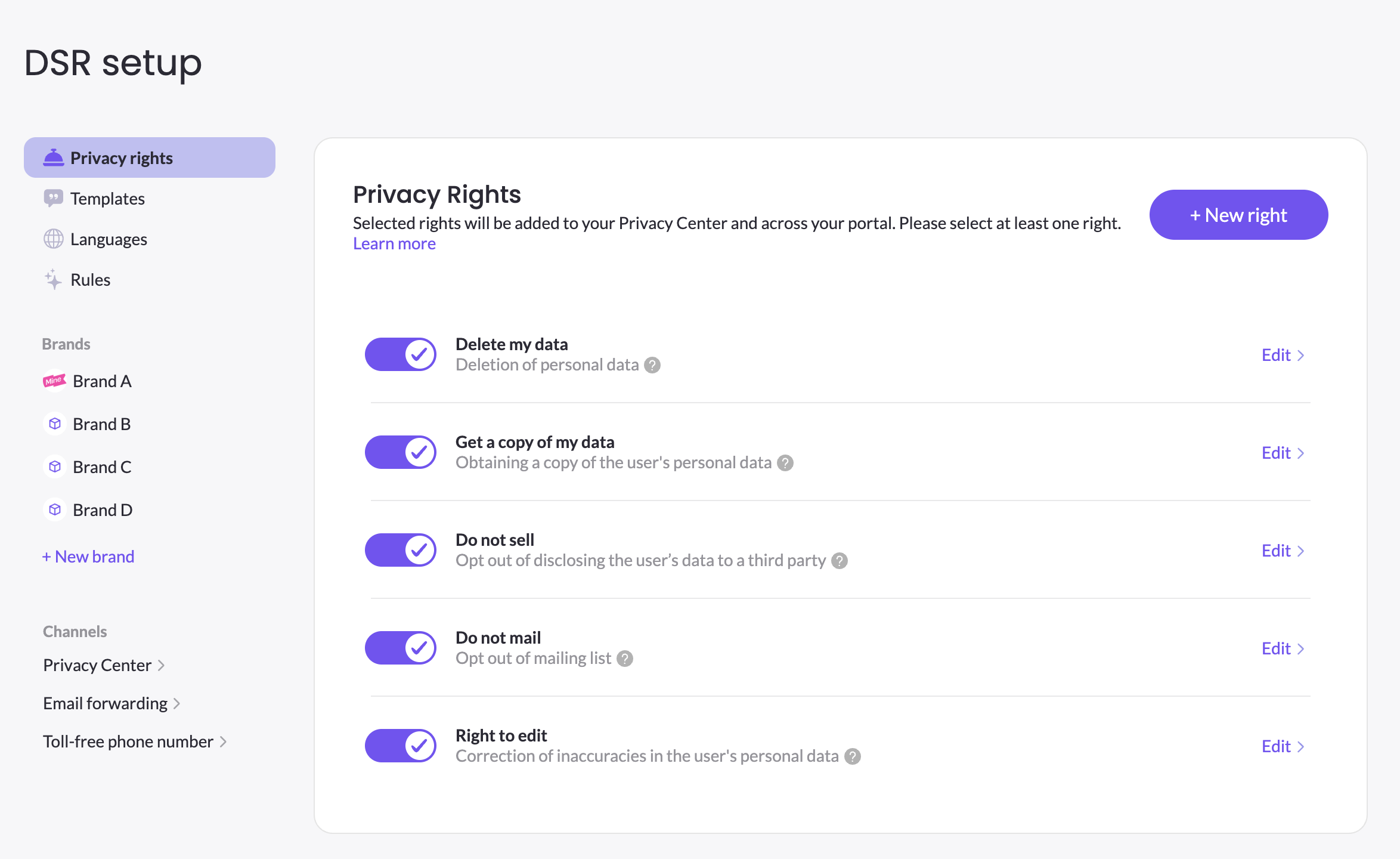
MineOS includes a set of standard privacy rights out of the box, mapping to common requirements under regulations like GDPR and CCPA/CPRA:
- Delete my data — deletion of personal data
- Get a copy of my data — obtaining a copy of the user's personal data (a data subject access request, or DSAR)
- Do not sell — opt out of disclosing the user's data to a third party
- Do not mail — opt out of the mailing list
- Right to edit — correction of inaccuracies in the user's personal data
Enable or disable a right
Rights that are toggled on are available across the platform and are available to display in the Privacy Center. Note that enabling a right from the DSR setup doesn't automatically enables it in the Privacy Center, and you need to choose which rights to present in the Privacy Center from the the Privacy rights tab in the Privacy Center. This applies also the other way around, if you disable a right in the Privacy Center it doesn't automatically disable it in the DSR setup.
When configuring a right (defining the workflows, templates and rules), it's best practice to keep that right disabled. You must keep at least one right enabled.
Add a custom right
If a regulation you're subject to requires a right beyond the standard set, click + New right to create a custom privacy right. When you create it, you choose its operation type, which tells MineOS how the request is handled:
- Data collection — the request gathers and returns data (like a copy request).
- Modification of data — the request changes or removes data (like a deletion or correction).
Configure a right
Click Edit on any right to open its settings, where you define Eligibility & workflows, Appearance & translations, and its rules and templates. If you have multiple brands, the rights you configure are shared across all brands.
Updated 3 months ago